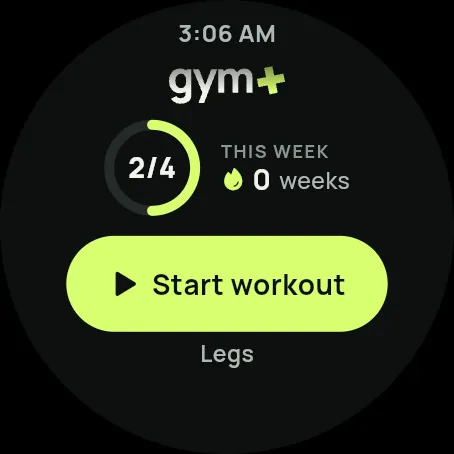
Gym+ is a workout journal for the gym. Log every set in seconds, see what changed from one week to the next, and keep your history on your phone. It works without internet.
With Apple or Google. The first 7 days are free for anyone the store considers eligible.
2
Tell it how you train
Goal, level, days and minutes: the app sets up your training week.
3
Train and log
Every set in a few taps, with rest, records and progress counted for you.
WHAT'S INSIDE
Everything you do at the gym, in one place.
01 Train
01
Workout log
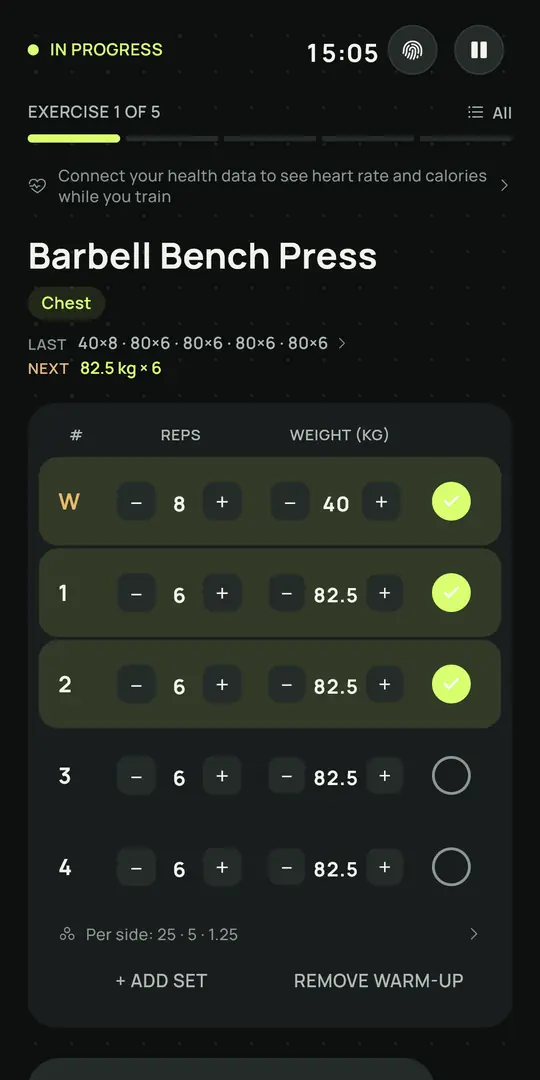
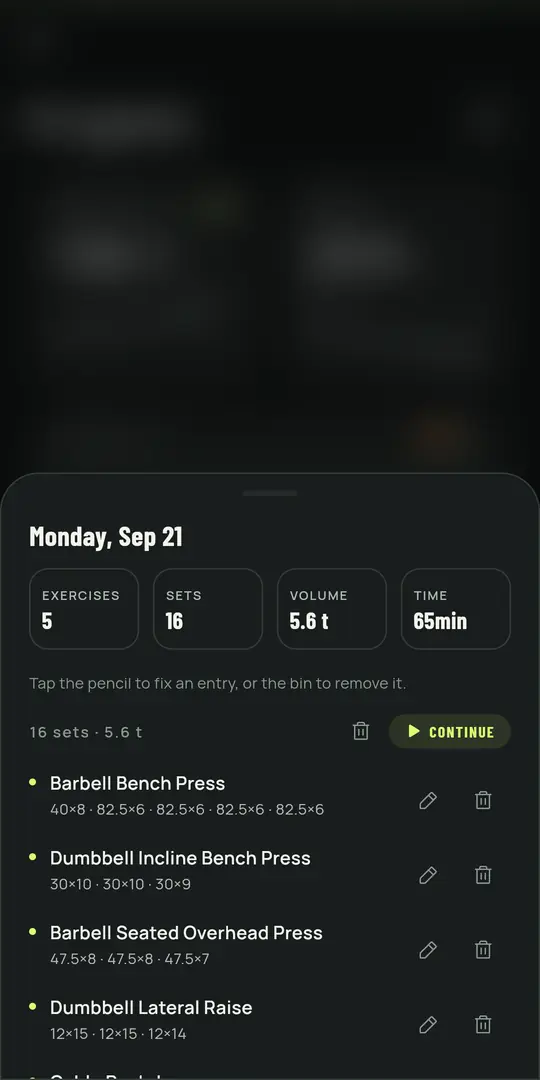
Sets, weight, reps and rest in a few taps. Warm-up sets, supersets and a rest timer that tells you when it's time.
02
Live workout
Smart rest timer with a 3-2-1 countdown and sounds, automatic warm-up sets, swap an exercise for another on the same muscle, your last time on screen, automatic progression and records flagged the moment you beat them.
03
Smart rest timer
Rest adapts to each exercise, with a 3-2-1 countdown, sounds and an alert even with the screen locked.
04
Every kind of set
Warm-up, effort (RPE), time and distance sets, so cardio and holds are logged as they are.
05
Ready-made programs
Full Body, Upper/Lower, ABCDE, Push/Pull/Legs and no-equipment plans. Your first routine is set up during onboarding.
06
Routines
Build a routine for each day of the week, reuse it, and share it as a file, or import one someone sent you.
07
975 illustrated exercises
A catalog organized by muscle group, with an animated illustration and step-by-step instructions for each movement. Add your own exercises too.
08
Search and filters
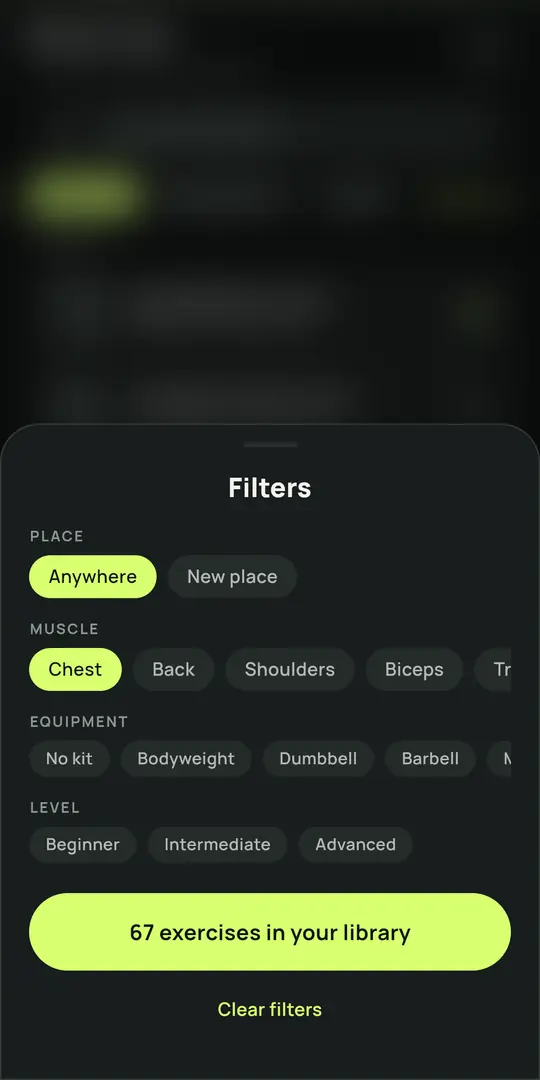
Find any exercise by name, muscle, equipment, level or where you train.
09
Body map
Tap a muscle on the body map to pick today's focus and see how recovered each group is.
10
Training tools
Calculators for 1RM, plates, warm-up sets, BMI, body fat, and calories & macros.
02 Progress
11
Progress and statistics
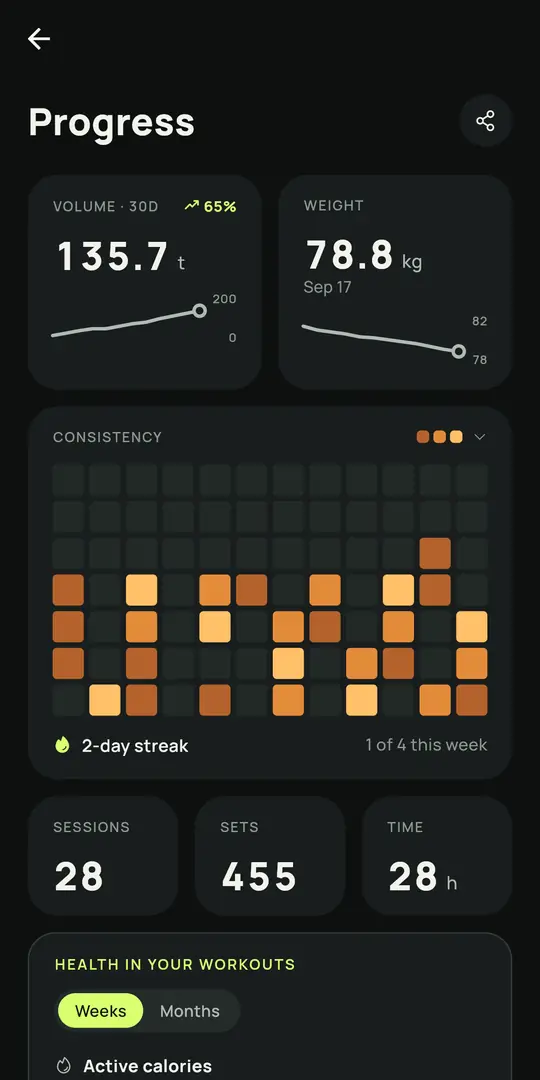
30-day volume, your records, estimated 1RM, a muscle map, your streak and a view of your whole year.
12
Weekly goal
Pick how many days a week you train, get reminders on your days and build a streak of weeks with the goal met.
13
Reminders
A nudge on the days you planned to train. In smart mode it learns your days from the sessions you log.
14
Measurements and photos
Body weight, measurements from neck to calf, and progress photos with a reminder when the next one is due.
15
Notes and calendar
Write down cues, plans, wins and nagging aches, attach photos or video, and find them by exercise or by day.
16
Medals and levels
Milestones for streaks, workouts, hours and tonnes lifted. You can switch them off in settings.
03 Compete
17
Check-in with photo
Take a photo at the gym and Gym+ adds a watermark with your visit count for the year, streak and volume, ready for Instagram.
18
Friends and challenges
Add friends by @handle and see who goes to the gym the most in the year.
19
Rankings
Leaderboards by gym, city and country, led by consistency rather than the heaviest lift.
20
Share cards
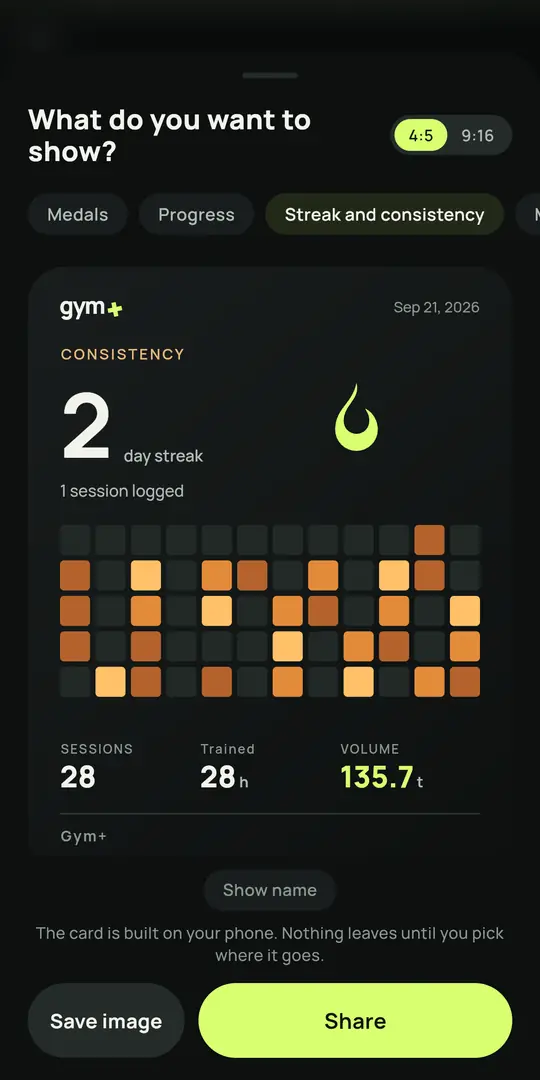
Turn your last session, your streak, the muscles you worked or a before-and-after into an image for your feed or story.
21
A safe community
Moderated photos and content, with reporting and blocking one tap away.
04 Watches and health
22
Works with your watch
Garmin, Galaxy Watch, Fitbit, Polar, Coros, Amazfit and other watches that record into Apple Health or Health Connect: Gym+ reads what they save there once they sync.
23
Heart rate and zones
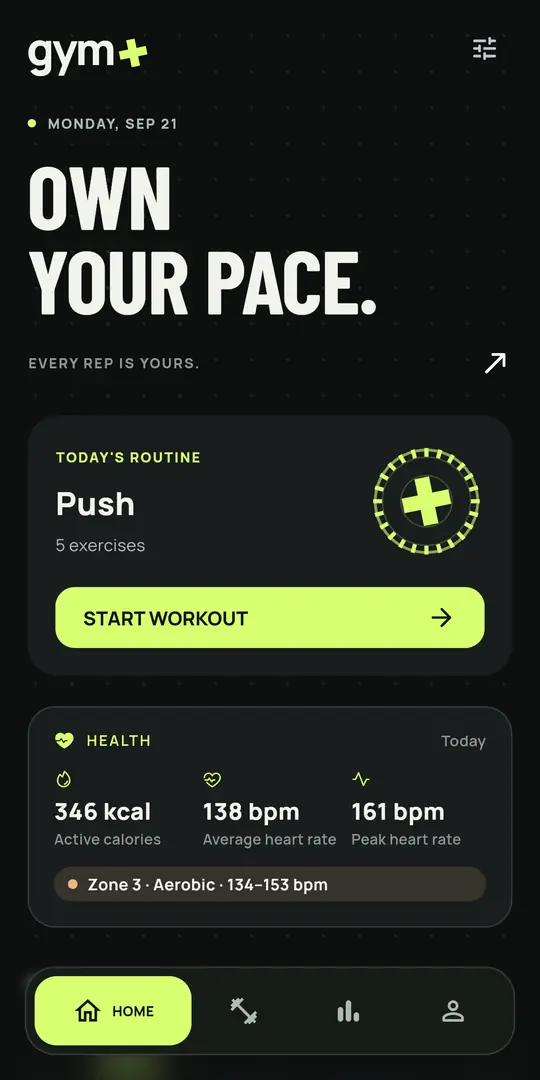
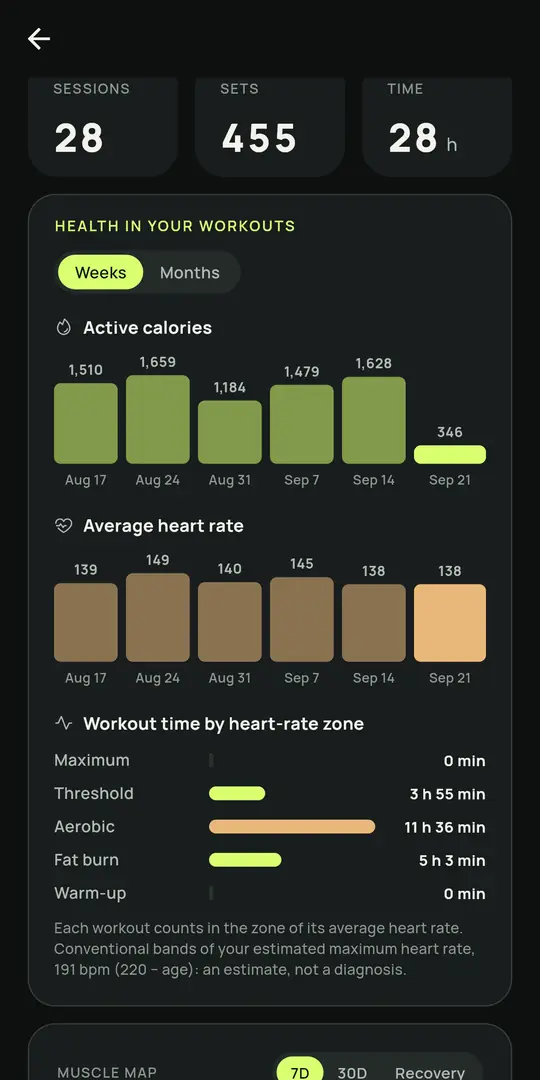
Heart rate, active calories and time in each heart-rate zone (including the fat-burn zone) for every workout, with weekly and monthly reports. Read from Apple Health or Health Connect, only with your permission.
24
Home-screen widgets
Five Android widgets show your week, today's workout and focus, your stats and your muscle map without opening the app.
25
Widgets and Live Activity
On iPhone, the workout on the Lock Screen and Dynamic Island, an Apple Watch complication to start your workout, and Gym+ in the share sheet to import a routine. On Android, five home-screen widgets.
05 Coach
26
Your coaches
Follow workouts from more than one coach, open workout links and comment on each session.
27
Added by @, never by surprise
Students add their coach by @handle, so nobody gets unwanted invites.
28
Workout links
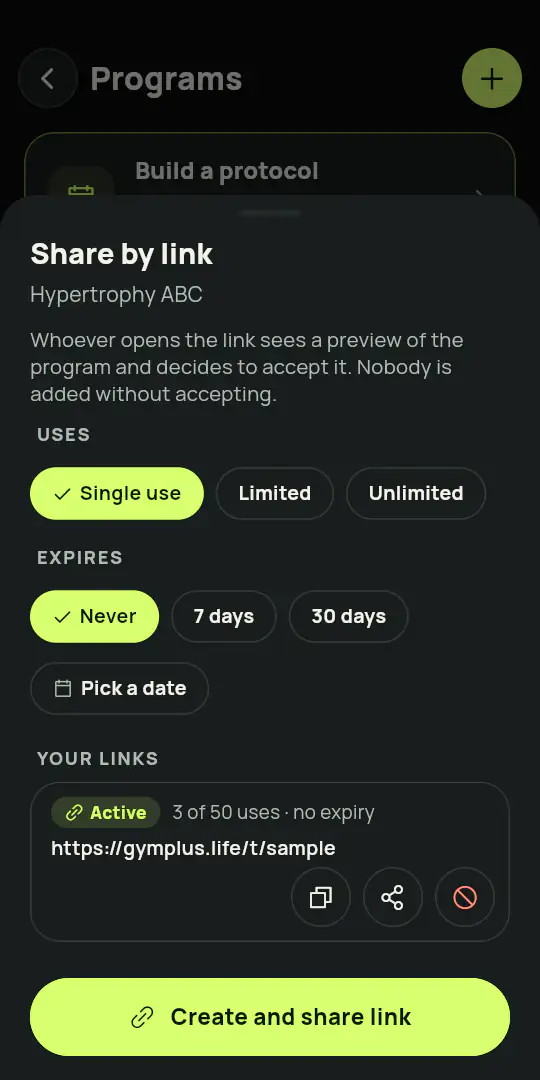
Share a workout by link (single-use, limited or open) with a clean preview.
29
Comments, stars and followers
Each workout gets comments, a star rating and its follower count.
06 Privacy and control
30
Your data stays with you
Your workouts are stored on your phone and work offline and, if you want, in an encrypted copy in your account too. No ads in the app, and no health data is used for advertising. To measure the campaigns we run outside the app, the app and our server send Meta, without asking, the install, the app opening, the sign-up and the subscription, with a random install identifier and without your email or your account; to opt out, ask support. On iPhone, tracking to measure campaigns only happens with your permission, and anyone under 18 is never asked. The app also sends error diagnostics and, for people 18 or older, usage events to error diagnostics and usage analytics tools we hire, never with health data; you can turn this off in Settings > Privacy and data, with the “Send error diagnostics” switch.
31
Works offline
Log the whole workout without internet. The log stays on your phone, and what you share (with a coach, the ranking or a team) is sent when you are back online.
32
Backup and export
Export a full backup and your workouts as CSV, download your account data with Export account data, restore them on a new phone, or bring your history over from another app.
33
Your own @
Sign in with Apple or Google and pick a unique @handle.
34
16 languages
The whole interface in 16 languages, following your phone's language or the one you pick.
35
Themes and sounds
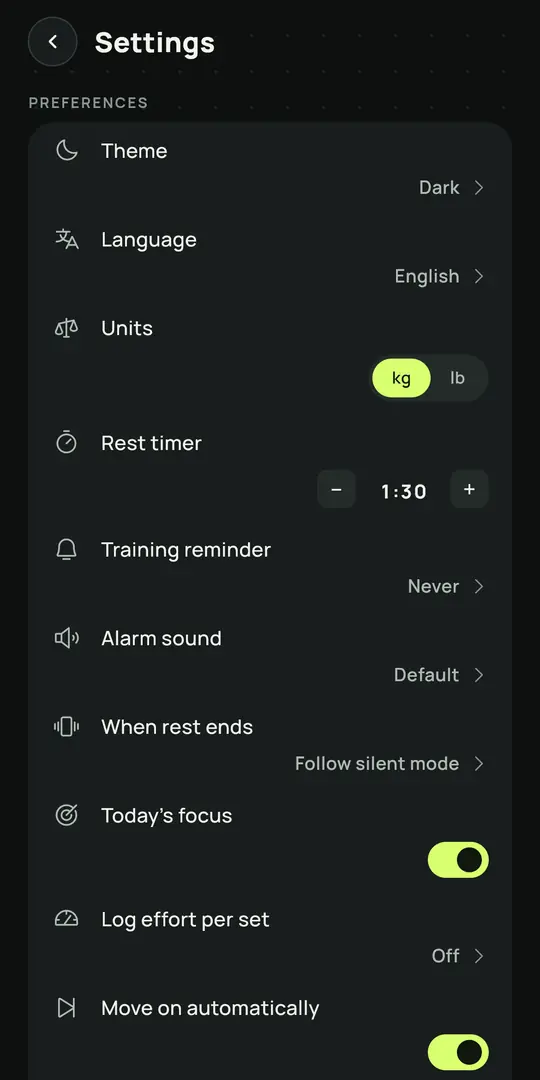
Dark, light or automatic theme, sound effects and haptics you can switch off.
New in Gym+
New ways to train with a plan
A workout of the day that respects your recovery, a plan built around your goal, progress you can read, sessions that flow, a coach who sees what you really did, and tools that do the maths for you.
01
Your workout of the day respects your recovery
Gym+ follows the recovery of every muscle from your workouts. When today's muscle has not recovered yet, it suggests swapping the workout with one tap. The plan leads, and the call is yours.
Each muscle's recovery, estimated from the sets and the effort of the last few days
A suggested swap to the plan's next routine, one tap away, and never a swap on its own
Train anyway is always one tap away, and without a plan the app suggests the most rested focus
Today's focus also shows on the Android Today widget and on the Wear OS tile
Workout of the dayChest and triceps
Recovery
Chest48%
Triceps62%
Back94%
Biceps90%
Chest still recovering 48%
Swap for Back and bicepsTrain anyway
02
A plan built around your goal and your level
For anyone training without a coach: tell it your goal, how long you have been training, how many days and how many minutes you have, and Gym+ builds the week's routines with the equipment at your place. With a coach, you follow your coach's program.
Build muscle, get stronger, conditioning or lose fat, from first steps to years of training
Every session fits the time you chose and only uses the equipment you have
Lighter weeks in the right place, and redoing the plan never deletes the routines you made
GoalBuild muscle
LevelTraining for a few months
Week4 days of 60 min
Your routines
AChest and triceps
BBack and biceps
CLegs
DShoulders and core
03
A quick workout, made on the spot
Short on time? Pick 10 to 60 minutes, a theme and the place, and Gym+ builds a session that fits your time with the equipment that is there.
10, 15, 20, 30, 45 or 60 minutes, with a warm-up from 20 up
Full body, upper, lower, push, pull, core or cardio and conditioning
Make another swaps the session, and it counts toward your streak like any workout
10 min15 min20 min30 min45 min60 min
ThemeFull bodyPlaceHome, no equipment
1Squat3 × 12
2Push-up3 × 12
3Lunge3 × 12
StartMake another
04
Your history, kept in your account
If you want, your workouts, routines, measurements, profile and notes are kept in your account, encrypted, and come back when you change phones. Just sign in on the new one.
Optional and only with your consent, with a switch to turn it off and delete the copy
Encrypted, with a key for each account, and stored only in the European Union
For 16 and 17 year olds, it only turns on once a parent or guardian confirms
Photos and videos stay on your phone only
New phone
Restoring from your account
Workouts312
Routines6
Measurements48
Encrypted
05
A reminder when you go days without training
If a few days go by without a workout, your phone reminds you, with an invitation to a quick workout or to your workout of the day. One workout and the reminders start over.
At 4, 8 and 14 days without a workout, always during the day
Made on the phone itself: nothing about your workouts leaves it for this
A switch in the settings turns it off whenever you like
now
Your muscles have recovered. How about a quick 15 min workout?
Last workout
Day 4
Day 8
Day 14
06
Progress analysis with estimated 1RM
Every exercise gets its own charts for load, estimated one rep max and weekly volume, with the formula in plain sight.
Pick 4, 8 or 12 weeks, or the last 12 months
Records for weight, reps, volume and 1RM, each kept apart
A plateau is spotted early, with a suggestion to break it, and small samples are flagged
Estimated 1RM116.7kgEpley: 100 kg × 5 reps
4 wk8 wk12 wk1 yr
Record
07
Consistency calendar and muscle map
See the weeks you showed up and where your training volume really goes, muscle by muscle.
Your streak and an 8 week trend at a glance
Volume per muscle group, with secondary muscles counted at half
A body map with touch areas large enough for any finger
Last 8 weeks
Streak: 6 weeks
FrontBack
LessMore volume
08
Supersets and a rest timer that follows you
Pair exercises back to back and let a floating timer tell you, by colour, when to go again.
Link two or more exercises into one superset
The rest timer floats over your workout, in sight however far you scroll, and changes colour as it runs out
Plates right on the set, a swap for the same muscle with the gear you have, and a 1 to 5 star rating for the session
Superset
A1Bench press3 × 10
A2Bent over row3 × 10
Rest0:45
09
Prescribed versus done, for coach and student
The coach sees each set as planned next to each set as done, with the student's comment from that day.
Planned and performed side by side, set by set
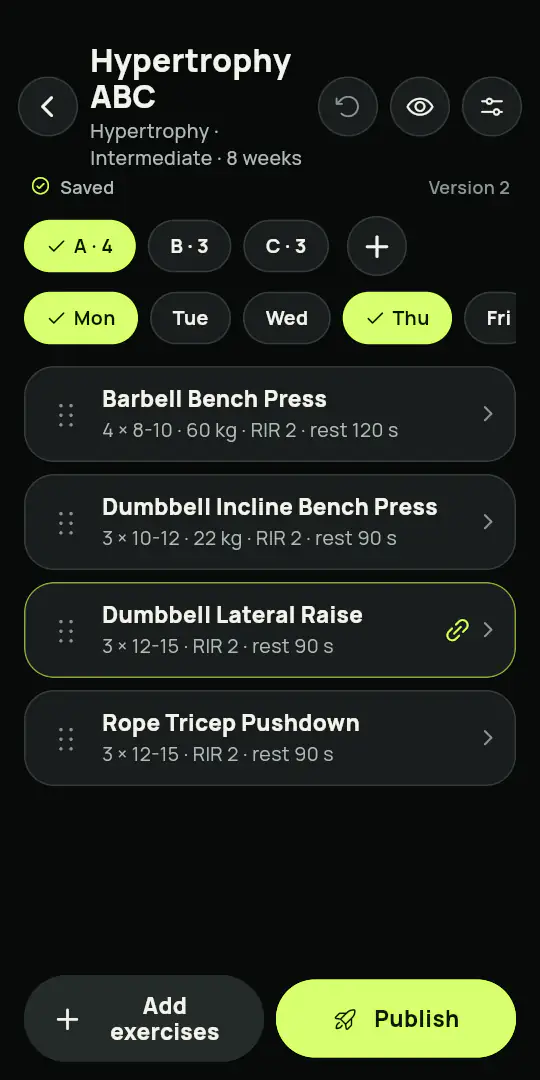
Start a program on any date, duplicate a week, edit many days at once
Export a program and import it again whenever you need it
Back squat
SetPrescribedDone
110 × 60 kg10 × 60 kg
210 × 60 kg10 × 60 kg
310 × 60 kg10 × 62.5 kg
410 × 60 kg8 × 60 kg
Last set felt heavy, but I kept the form.
10
Build a workout in three steps
Choose the equipment you have, tap the muscles you want, and pick from the exercises that fit both.
Equipment, muscle map, exercises: three steps and it is ready
Search that ignores accents, with a filter that remembers your last choice
A counter shows how many exercises match before you open the list
1EquipmentDumbbellsBenchCable
2MusclesChestShoulders
3Exercises24 exercises
11
On your wrist: the last workout, today's and the next load
On Garmin, the glance shows the time since your last workout; on Wear OS, the tile shows today's workout and focus. On Apple Watch and Garmin, a long press on the wrist decides the load for next time.
A glance on Garmin with the time since your last workout and a Wear OS tile with today's workout and focus
Long press on Apple Watch or Garmin to raise the load or keep it for next time
A different vibration for each action, a control page and a page per exercise
2 dayssince last workoutAdd load?+2.5kgHold to confirm
12
Your year in review
When the year closes, Gym+ puts your records, your volume and your consistency on cards made to share.
The records of your year, in order
Total volume compared with things you see every day
Shared from the same share screen you already use
182days trained
412tonnes lifted≈ about 69 elephants
Your year202614 records
13
Weight and measurements, with a trend you can trust
Daily ups and downs are smoothed into a trend line, so you see where you are heading, not just today.
A smoothed trend over your weigh ins
Kilograms or pounds, centimetres or inches, and a goal line
Charts for each measurement, and an export whenever you want
WeightTrendkglb
Goal 78.0 kg
14
Calculators that show their working
1RM, plates, warm up, BMI, calories and macros, body fat and heart rate zones, each with its formula and, where there is more than one, a comparison between them.
The formula behind every number, in plain sight
Heart rate zones from your age and resting heart rate
The check-in is a selfie of you at the gym. Your location confirms you are there, and that stays with you. Gym+ stamps your visit of the year, your streak and your volume, and you share it with the same settings you use at the end of a workout.
Check-in with photo
Your location confirms it, and stays with you
Friends and challenges
Rankings
Share cards
Visit 87 of 202612-week streak8,4 t liftedMarch 12, 2026At the gym
Visit 87 of 202612-week streak
Feed
TEAMS
Train as a team.
Bring your gym crew, your class or your friends into a team, and keep the year's scoreboard together.
01
Created in one tap
The owner creates the team and invites by link.
02
Admins approve
Whoever asks to join waits for an admin to accept.
03
The owner picks what shows
Check-ins, workouts, minutes, volume, calories with consent, streak, records, verified sessions and medals.
04
Weekly, monthly, yearly
Three boards, led by consistency and not by the heaviest lift.
05
Challenges and feed
Set a challenge, follow the team feed and react to what the others do.
06
Team medals and the year
Medals for the whole team and a year in review that shows who was best at what, with the MVP.
Team boardWeekMonthYear
1@ana312 check-ins
2@bruno287 check-ins
3@carla254 check-ins
4@davi231 check-ins
5@eva208 check-ins
MVP of the year: @ana24 members
FRIENDS
A board with your people on it.
The board of your city or country is one thing. The board of the people you train with is another, and it is the one you look at.
Only who you accepted
Your board holds the friends you added by handle, and nobody else.
Week, month and year
Three windows on the same board, so a strong week never hides a quiet month.
Led by turning up
Check-ins, streak, volume and records, each on its own board.
You decide how you show
Use an alias instead of your handle, show your check-ins to friends only or to nobody, or leave the board at any time.
Friends this week
1@ana6
2You5
3@bruno4
4@carla3
DUEL
One against one, for a week.
Pick a friend, pick what counts, and settle it. It only starts once the other side accepts, and whoever sent it can call it off before then.
Both have to say yes
A duel only starts when the other person accepts. No one is dragged into one.
You choose the measure
Check-ins, workouts, volume, streak or records. One measure, agreed before it starts.
It runs to a date
Seven days by default. When the clock runs out the duel closes itself.
It ends in a medal
Your first win earns a medal, five in a row earn another, and every duel stays in your record against each friend.
@ana5
against
@bruno4
3 days to go
SEASONS
The cycle closes on its own.
A team runs weekly, monthly and yearly cycles that end by themselves. Nobody has to declare a winner.
It follows the calendar
Each cycle runs Monday to Sunday, the 1st to the end of the month or January to December, with nobody setting it up.
Frozen when it ends
The champion is written down when the cycle closes, and nothing changes that result afterwards.
A champion and a record
Each metric gets a champion, the cycle joins the team's roll of honour, and the year closes with a recap to share.
The next one opens by itself
The following cycle starts at zero, in the same team, without anyone lifting a finger.
Champion of the cycle
@ana
Cycle closedNext cycle
LEAGUE
A season, a division, and a way up.
You start in Bronze, in a drawn group of 20 to 30 people. The four week season ends, the top go up, the bottom go down, and the next one starts.
Six divisions
From Bronze to Master, always in a small group, not the whole app at once.
A season with a date
Every season has a start and an end. The table is sealed at the end, the same way a team cycle is.
Up and down
The top of the table goes up a division, the bottom goes down one, the middle stays.
Consistency wins it
Points come from turning up and finishing sessions, so the league rewards the weeks you show up.
1@anaGoing up
2@brunoGoing up
3@carlaStaying
4@daviGoing down
Gold
STRENGTH
How strong you are, lift by lift.
The five main lifts each get a level of their own, read from what you actually lift. What a watch or your coach confirmed is marked apart from what you typed in.
One level per lift
Squat, bench, deadlift, overhead press and row, each measured on its own.
Declared and verified
What you typed counts, and what a watch recorded or your coach confirmed carries a seal.
Read from your own sets
Load, repetitions and body weight. No test day, no questionnaire.
Your best of the last year
The level reads your best lift of the last 12 months against your confirmed body weight.
Bench press
DeclaredVerified
BeginnerNoviceIntermediateAdvancedElite
YOUR WATCH IN THE WORKOUT
The watch proves the effort.
Train with the watch on your wrist and Gym+ turns what it measures into real numbers, and into proof that the workout happened.
123
1Current exercise and workout time
2Reps and weight for the set
3One tap marks the set and syncs with the phone
01
Every set on your wrist
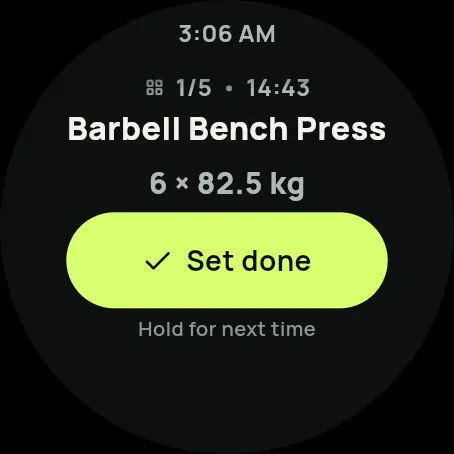
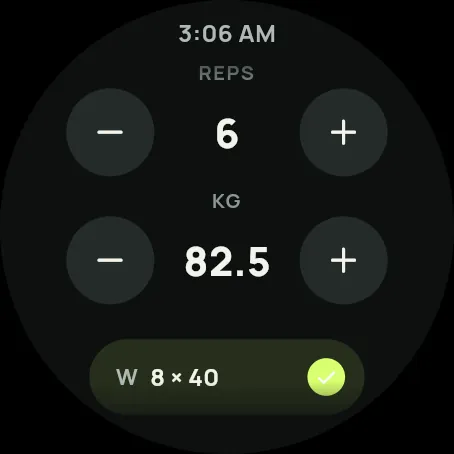
The current exercise, set, weight and reps. Mark the set on the watch and it syncs with your phone both ways, on Apple Watch, Wear OS and Garmin.
2sync directions, from watch to phone and back
15seconds added to or cut from rest, in one tap
32compatible Garmin models
4levels of workout verification
02
Rest that keeps count
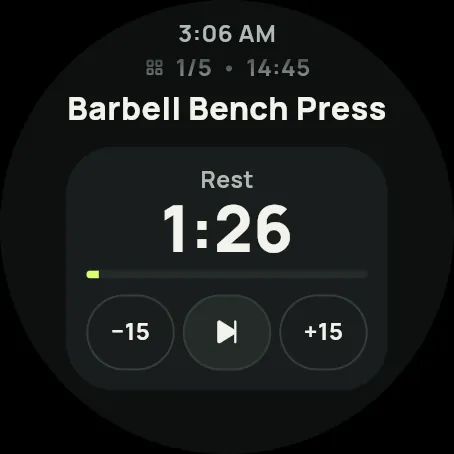
A big countdown you can shorten or extend by 15 seconds, or skip. The watch vibrates when it is time to go again.
03
Reps counted for you
On Wear OS the watch counts the reps of each set and checks them against what you logged.
04
One tap from the watch face
See today's workout and focus on the Wear OS tile and start from there, or start from the Apple Watch complication. The finished workout is saved in Apple Health, Health Connect or Garmin Connect.
05
Heart rate live
Heart rate, zone and active calories while you train, measured by the watch or by a Bluetooth heart-rate strap.
06
A verified workout
When the watch recorded the session, it earns the verification seal: in your history, on the share card, in the ranking and for your coach.
Apple Watch and Wear OS
The workout on your wrist: live heart rate, zone and rest on screen, and each set marked from the watch. On compatible Wear OS watches, reps are counted for you too.
Garmin, Galaxy, Fitbit, Polar, Coros, Amazfit and more
Watches that record into Apple Health or Health Connect work through them: Gym+ reads what they save there.
For you
Real heart rate, zones, active calories and a progression you can trust.
For your coach
Proven adherence and the metrics of students who authorize it.
Your choice
Nothing leaves your phone without your permission. You choose what to share and can withdraw it at any time.
Garmin, 32 compatible models
fēnix 7, 7S, 7X, 7 Pro, 8, 8 Pro and 8 Solar, epix 2 and epix 2 Pro, Forerunner 255, 265, 955 and 965, Venu 3 and 3S, Instinct 3 AMOLED and Solar, vívoactive 5 and 6. Apple Watch and Wear OS are supported as well.
Workout verification
Each session gets a level, shown as a seal on the session and on the share card. The higher the level, the more the ranking and your coach can rely on it.
1
Self-reported
Logged by you in the app.
2
In Apple Health / Health Connect
A workout recorded in the health app at the same time.
3
Recorded by the watch in Gym+
The session ran on the watch, with heart rate throughout.
4
Reps counted by the watch
On compatible Wear OS watches, the movement itself is counted.
To be clear: the watch proves effort at that time, not the weight on the bar.
MEDALS
Earned one set at a time.
Medals mark real milestones in your training, in bronze, silver, gold and diamond. They appear the moment you earn them, and you can share each one as an image.
Exercises and volume
Sets finished, hours trained and tonnes lifted.
Weekly consistency
Days in a row and weeks with your goal met.
Records
Beating your best on an exercise.
Check-in
Visits to the gym across the year and streaks of weeks.
Verification
Sessions confirmed by your watch or health app.
Gym and ranking
Your place among the people who train where you do.
Team
Milestones reached together with your team.
Coach
Milestones set together with your coach.
FOR COACHES
Coach your students from the app.
Everything in Athlete, plus tools for your students
Your program leads
The automatic plan in Gym+ is for people who train without a coach. A student linked to you follows the program you built, and the recovery suggestion only swaps between the routines of your program.
How a student and a coach connect
@
1
The student adds the coach
By @handle, from inside the app. A stranger can't add anyone.
2
The coach accepts
Only then are the two linked: both sides have to say yes.
3
The student authorizes
The student decides what the coach can see, and can withdraw it at any time.
4
Workouts and reports
The coach sends workouts; the report shows only what was authorized.
Added by @, never by surprise
Students add their coach by @handle, so nobody gets unwanted invites.
Send a workout to an @
Build a workout and send it straight to your student's @handle.
A complete protocol
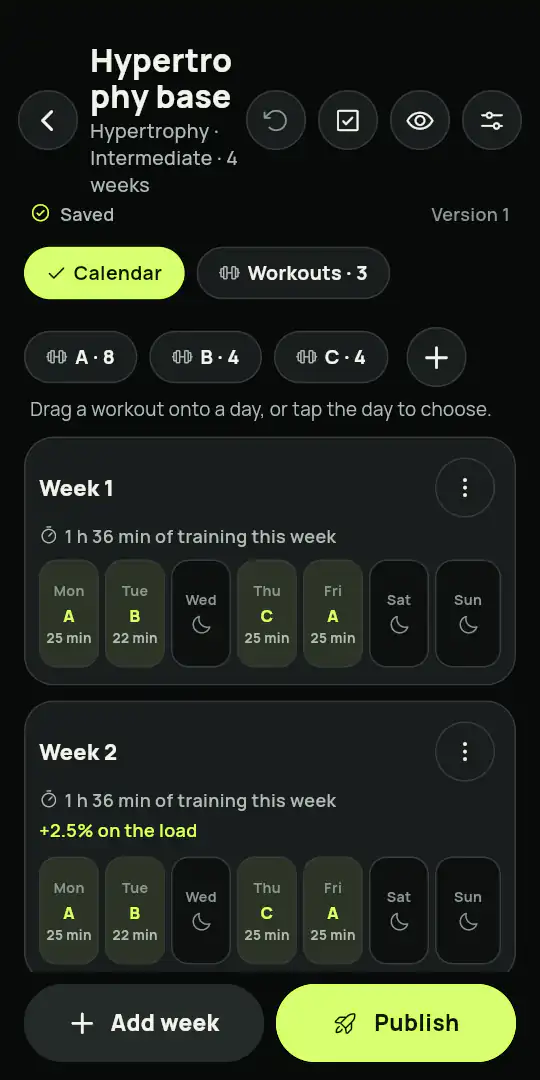
Build the protocol week by week and day by day, over as many weeks as you want, and assign it with a start date.
One workout, many students
Send the same workout to several students at once.
Workout links
Share a workout by link (single-use, limited or open) with a clean preview.
See it as a student
Open your own program the way a student sees it, to test it and adjust it before sending.
More than one coach
A student can follow workouts from several coaches.
Comments, stars and followers
Each workout gets comments, a star rating and its follower count.
Profile and followers
A public profile with a photo, a cover and the number of people following your workouts.
A video for each exercise
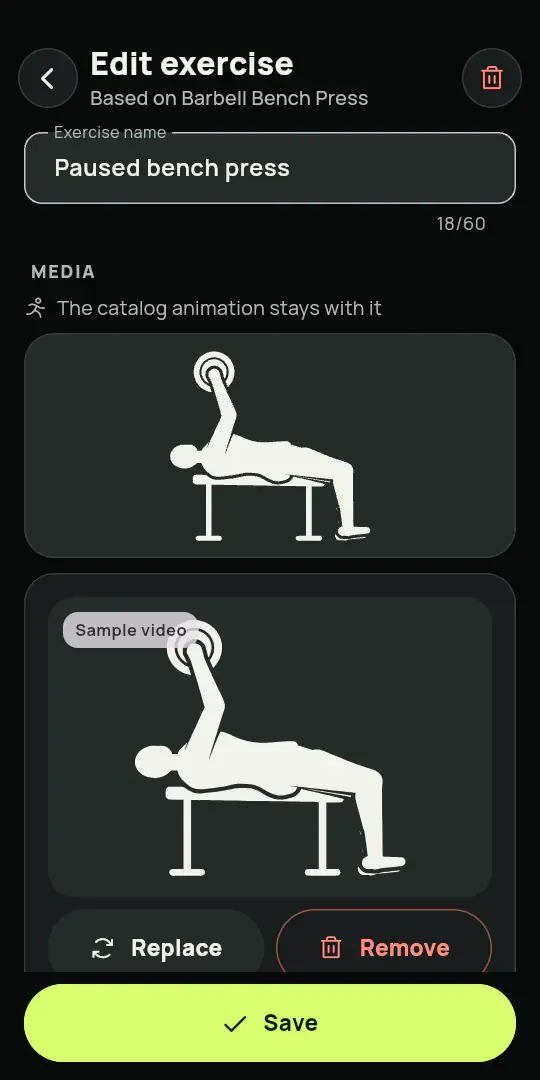
Attach your own video to each exercise to show exactly the form you want.
Protected videos
Your videos carry the Gym+ mark. On Android, screenshots and screen recording are blocked. On iPhone, the video disappears while the screen is recorded or mirrored, and whoever takes a screenshot gets a notice.
Your own library
Customize or create exercises, muscle groups and workout groups.
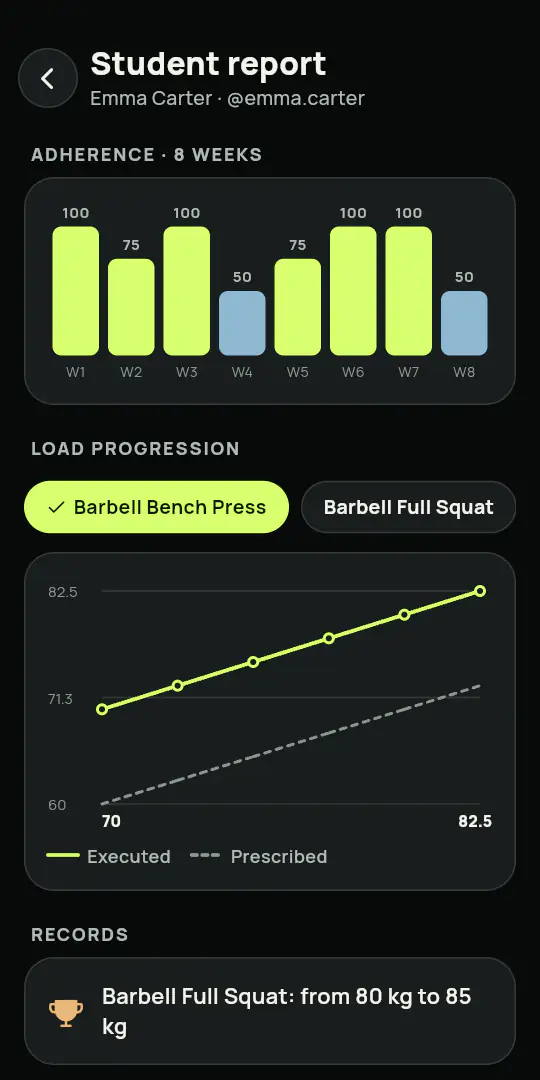
A full report for the coach
Adherence, performance and watch metrics, only from students who authorize it and only while they do.
Adjust and comment
Tune each student's plan as they progress and leave comments on their sessions.
Revoke access
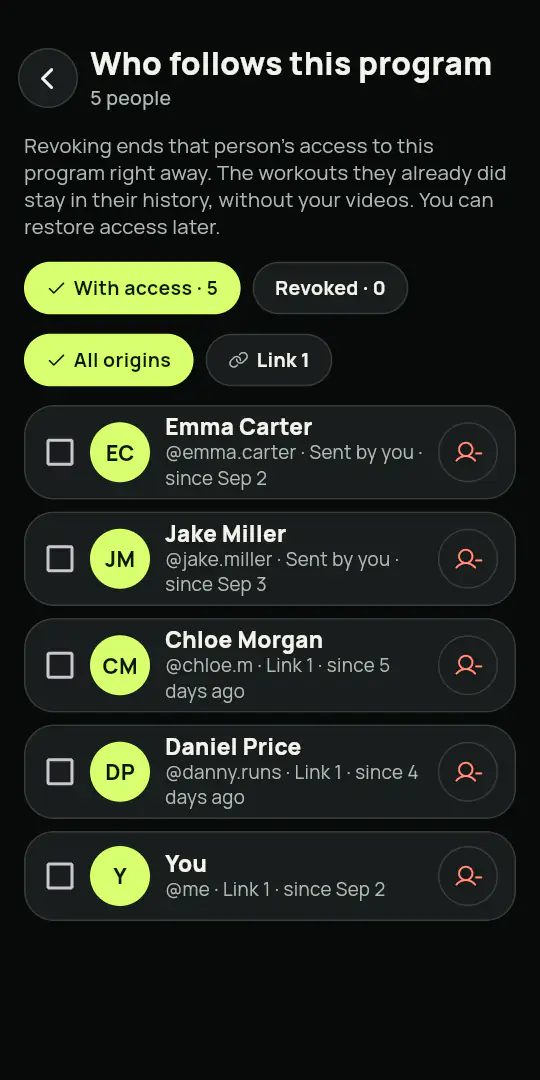
When someone stops being your student, you can revoke their access to your workouts.
Build the complete protocol, week by week, day by day
1234567
Week 1Start
Week 2
Week 3Today
Week 4
Week 5
Week 6
TrainRest
SECURITY
Built to be trusted.
What protects your account, your content and your data, in the app and on our server.
Moderation of text, image and video
Photos, videos and comments pass through automated and human review, with reporting and blocking.
Only the official app
Our API only responds to the official app, with device attestation and encrypted traffic.
Content encrypted on the device
Workouts and videos you gain access to are downloaded and kept encrypted on your phone.
Delete everything
Deleting the account removes your data, on the phone and on the server.
Certified management
ISO/IEC 27001, ISO/IEC 27701 and ISO 37301, with the certificates open to check.
Health only with consent
Heart rate, calories and zones are read only after you allow it, and you can withdraw it at any time.
Account and email
Sign in your way
With Apple, with Google or with a code sent to your email.
Weekly email report
An optional summary of your week, which you can turn off whenever you want.
Your preferences
Language, units, theme, sounds, notifications and what each person can see.
THE APP
See it before you download it.
Home
Workout in progress
History
Statistics
Heart rate and zones
Exercise catalog
Settings
Share card
THE COACH APP
Your coaching, screen by screen.
What you use to follow every student, shown with sample students and numbers.
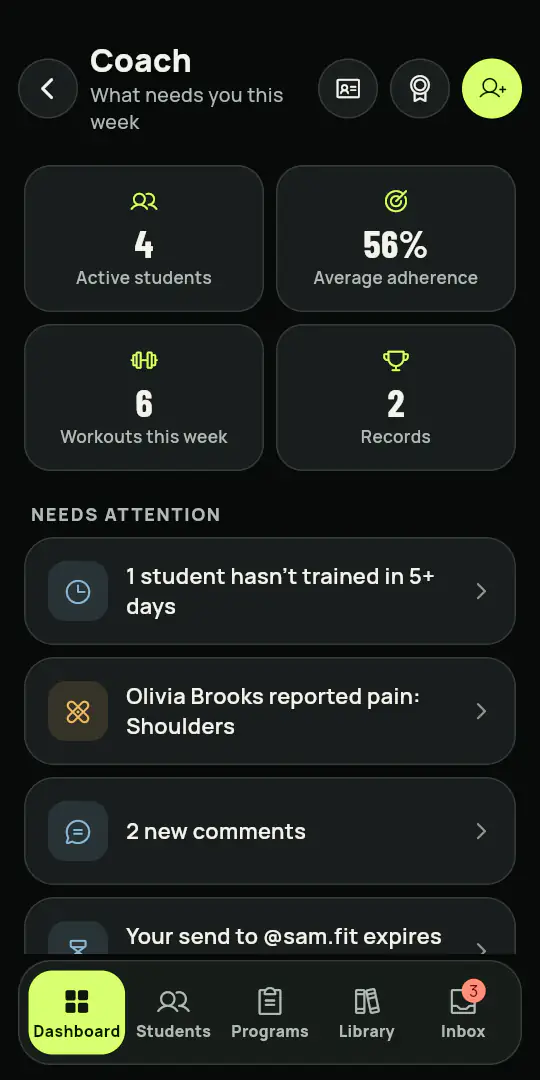
Coach dashboard
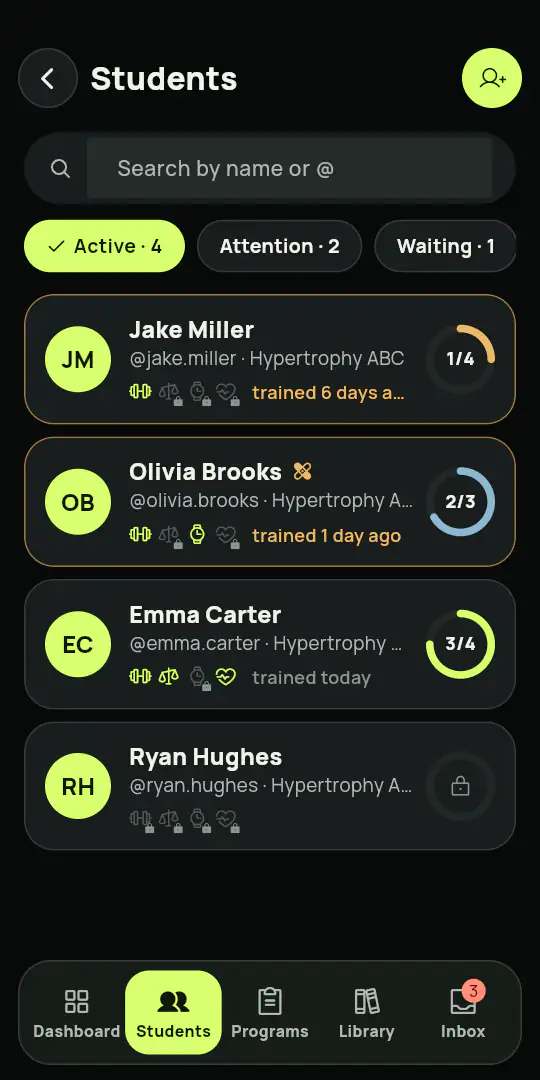
Students and adherence
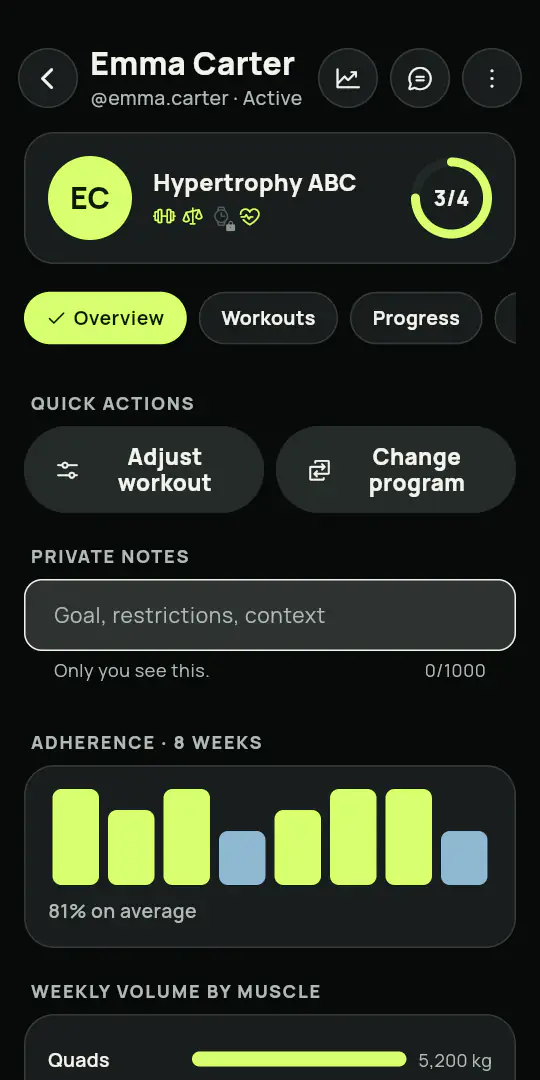
Student profile
Student report
Program editor
Week-by-week protocol
Exercise with your video
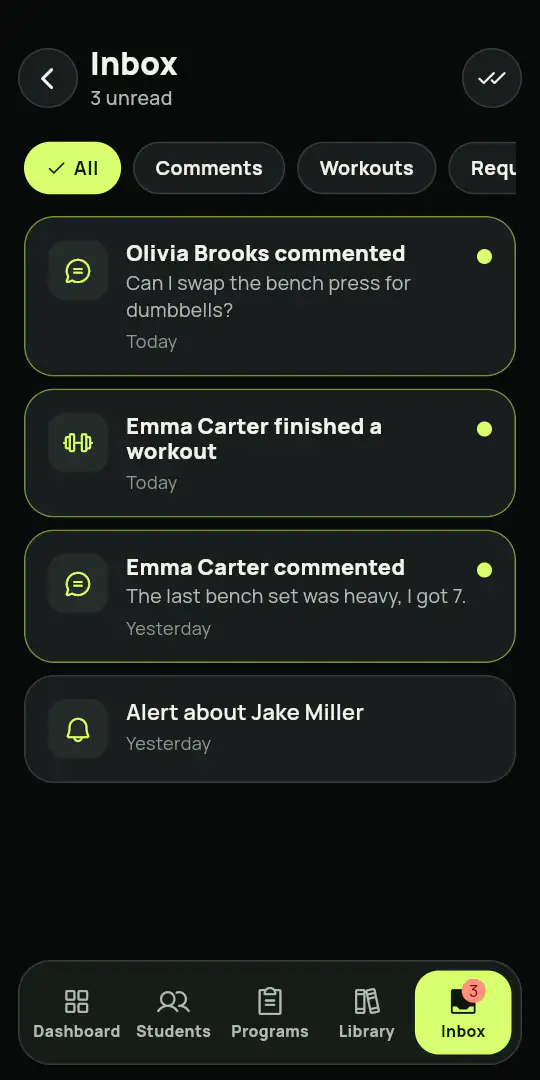
Inbox
Workout links
Who follows the program
PRICE
Two plans. No surprises.
Athlete
To train and track your own progress
7 days free
$4.90/month
billed $58.80 a year
Workout log
Smart rest timer
975 illustrated exercises
Ready-made programs
Workout of the day by muscle recovery
Automatic plan for training without a coach
Quick workout from 10 to 60 minutes
Progress and statistics
Medals and levels
Check-in with photo
Friends and challenges
Rankings
Works with your watch
Heart rate and zones
Your coaches
Backup and export
History kept in your account, encrypted
Works offline
Coach
Everything in Athlete, plus tools for your students
7 days free
$9.90/month
billed $118.80 a year
Includes 10 students. Need more? Add as many packs of 10 as you like.
Each extra pack of 10 students: + $4/month, a monthly subscription
Everything in the Athlete plan
A complete protocol
Added by @, never by surprise
Send a workout to an @
One workout, many students
Workout links
See it as a student
More than one coach
Comments, stars and followers
Profile and followers
A video for each exercise
Protected videos
Your own library
A full report for the coach
Adjust and comment
Revoke access
Your program leads: a linked student follows what you built
7 days free on both plans, for anyone the store considers eligible. Cancel any time, straight from your subscription settings in the App Store or Google Play. You are only charged after the 7 days, if you keep going. No catch.
When the store offers you free days, the plan shows how many before you buy, and nothing is charged during them. After that the store charges a full year at once on the card of your Apple or Google account, and renews it every year. Cancel in the store settings; canceling during the free days keeps your access to the last one. The final price is shown by the App Store or Google Play before you confirm, and it can vary by country and by store. Terms of use
Athlete or Coach?
Feature
Athlete
Coach
Workout log, catalog and programs
Health, watches and verification
Watches, straps and live heart rate
Statistics, medals and rankings
Check-in with photo and challenges with friends
Teams, boards and challenges
Moderation, reporting and blocking
Backup, Android widgets and 16 languages
Workout of the day by muscle recovery
Automatic plan for training without a coach
Quick workout from 10 to 60 minutes
History kept in your account, encrypted
Send workouts to students
A periodized protocol, week by week
See your program as a student
Your own exercise library and videos
Your own videos on each exercise
Student reports and comments
Weekly email report
Public profile with followers
QUESTIONS
Before you download.
How does the 7-day trial work?
Nothing is charged for the first 7 days, on either plan, if the store considers you eligible for the free trial (usually, if you have not had one before). After that, the store charges one year at once and renews each year until you cancel.
How do I cancel?
In the store's subscription settings, in a few taps. On iPhone: Settings, your name, Subscriptions, Gym+, Cancel subscription. On Android: Google Play, your profile picture, Payments and subscriptions, Subscriptions, Gym+, Cancel. Canceling during the 7 days keeps your access until the last day and nothing is charged.
Which watches work?
Apple Watch and Wear OS directly. Garmin, Galaxy Watch, Fitbit, Polar, Coros, Amazfit and others through Apple Health or Health Connect, once they sync there.
What happens to my data?
Your workouts stay on your phone by default and work offline. If you turn on history in your account, an encrypted copy is stored only in the European Union. Health data is read only with your permission, and nothing is shared with a coach, the ranking or a team unless you authorize it, and then only as a summary.
What is the minimum age?
16. The app confirms your age before first use and does not open for anyone younger. For 16 and 17 year olds, training with a coach and keeping history in the account only turn on once a parent or guardian confirms, and invitations are left out.
Which languages?
16: English, Portuguese, Spanish, French, German, Italian, Dutch, Polish, Turkish, Russian, Ukrainian, Arabic, Japanese, Korean and Chinese (Simplified and Traditional).
Can I move from Athlete to Coach?
Yes, and on Coach you can also add or remove packs of 10 students, which are a separate monthly subscription in the same store. Adding takes effect at once and the store charges only the prorated difference for the current month; removing takes effect at the next monthly renewal. You keep everything you have.
How do teams work?
Someone creates the team and invites by link. Admins approve who joins, and the owner chooses which metrics the members can see. The board runs by week, month and year, and the year closes with a review and an MVP.
How is the check-in taken?
With the camera, at the gym. Gym+ adds the watermark with your visit of the year, your streak and your volume, and you decide whether to share it.
How do I add a friend?
By @handle, and the other person has to accept. Either side can undo the link at any time.
Who sees my numbers?
You do. In a team, only the metrics the owner turned on, and health data only if you authorize it. You can leave the ranking or hide your name.
Does it work with my Garmin?
With 32 models from the fēnix, epix, Forerunner, Venu, Instinct and vívoactive families, plus Apple Watch and Wear OS.
What do the ISO certifications mean?
ALAS TECHNOLOGY LLC runs certified management systems for information security, privacy and compliance. The certificates can be checked in the public registry.
DOWNLOAD
From the first workout to the record of the year.
Download Gym+ on your phone. The first 7 days are free for anyone the store considers eligible.
Coming soon to the App Store
7 days free on both plans, for anyone the store considers eligible. Cancel any time, straight from your subscription settings in the App Store or Google Play. You are only charged after the 7 days, if you keep going. No catch.
Gym+ is coming to the App Store soon. On Android it is already on Google Play.
With your permission, this site uses cookies and the Meta Pixel to measure how our ads perform. No health or workout data is sent. Privacy policy