
Exercises and tools
How to use the exercise library
Search and filter exercises, see step-by-step form and your history, keep favorites and create exercises of your own.
- Plan
- Athlete
- Coach
- Works on
- iPhone
- Android
The library holds every exercise in Gym+. Each one shows how to do it, the muscles worked, the equipment and your history with it. You can also create your own exercises, which show up in search and in routines like any other.
Step by step
Tap Exercises in the bar at the bottom. The top shows how many exercises your library has.
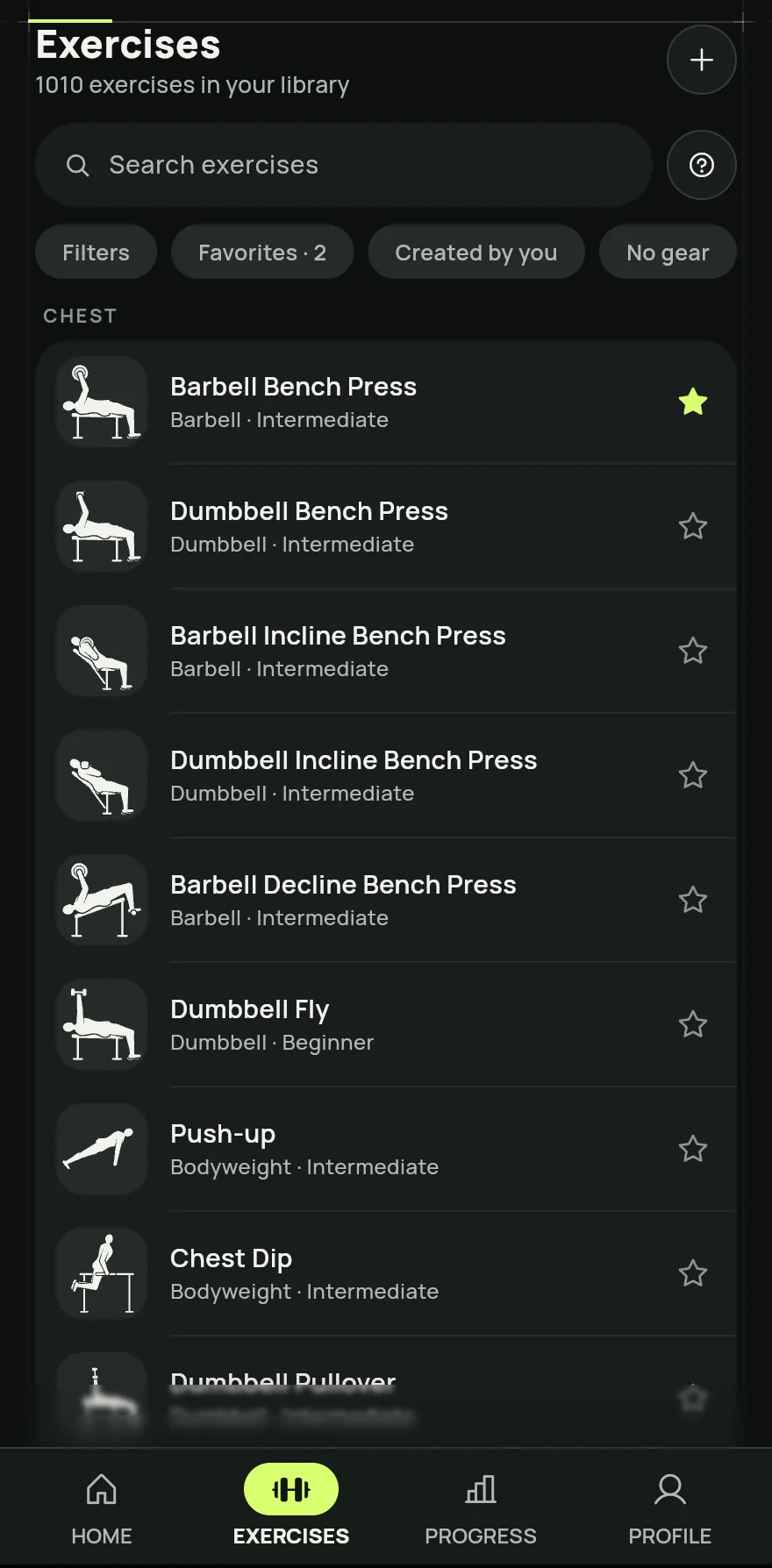
Step 1 Type in the Search exercises field to search by name. Use the shortcuts right below, such as Favorites, Created by you and No gear, to narrow the list.
Tap Filters to pick a place, muscles, equipment, level and record type. Tap the button at the end of the sheet to see the result, and Clear filters to go back to the full list.
Tap an exercise to open its page, with How to, the primary and secondary muscles, the equipment, the History of your workouts and Similar exercises.
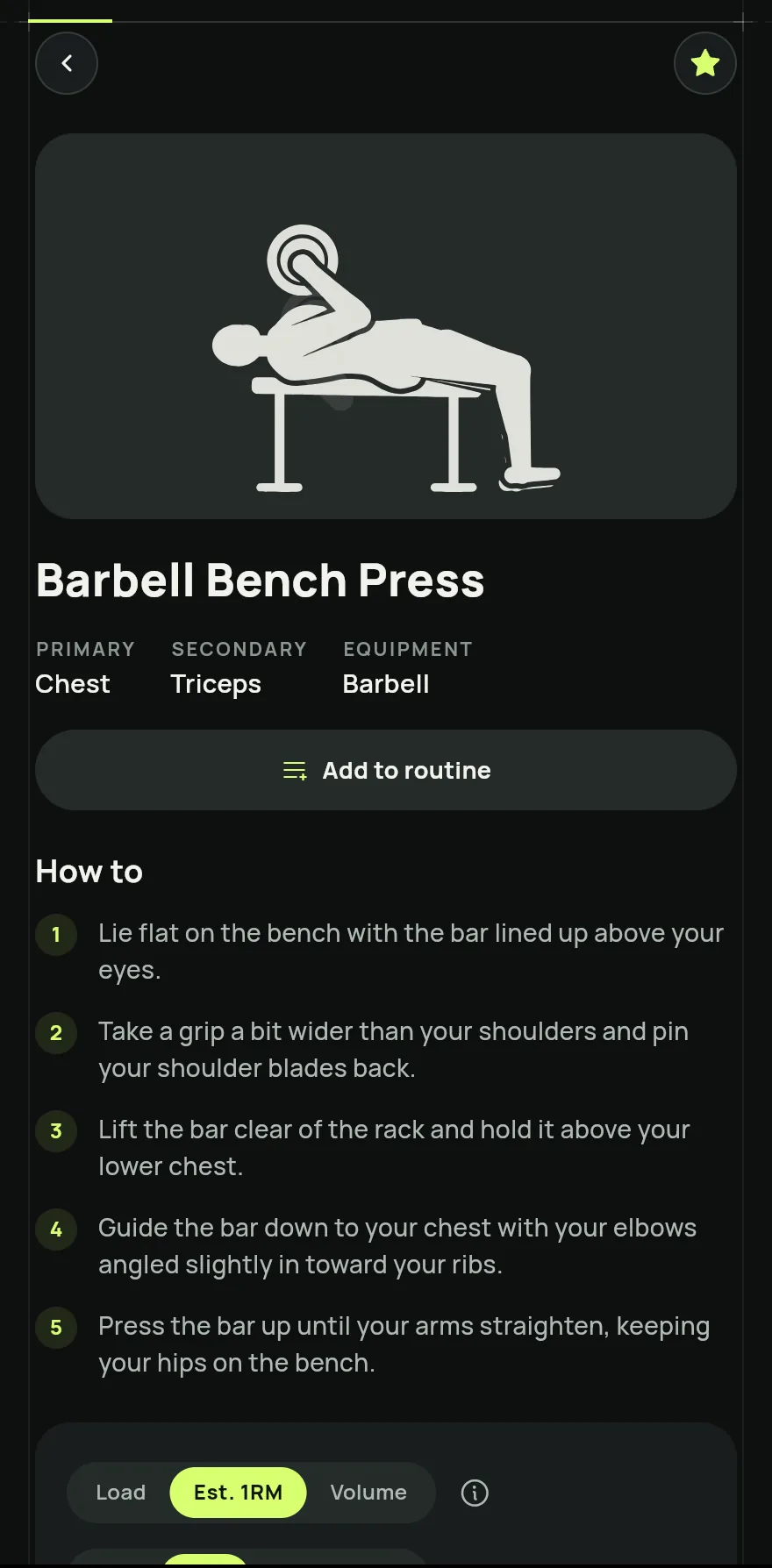
Step 4 On that page, tap Add to routine and choose the routine, or create a New routine with this exercise.
To create an exercise of your own, tap the plus button next to the title, fill in the Exercise name, the muscles and the equipment and tap Add exercise.
Common problems
- I cannot find an exercise
- Check that no filter is on and tap Clear filters. Try another name too. If it does not exist, create your own with the plus button.
- I cannot edit an exercise
- Only the exercises you created can be edited or deleted. For the others, you set the rest and the warm-up under Exercise settings.
Open in the app
In Gym+, tap the question mark on the Home screen to open the Help Center and search for “Exercise library”. The Open now button takes you straight to the screen.
Related articles
- How to use the training calculatorsWork out 1RM, load by RPE, plates, warm-up, HR zones, BMI, body fat, FFMI, Wilks, DOTS and calories, and send the load to your workout.
- How to use the training journalWrite down how the workout went, plans for next time, wins and pain, with photos or video, by day or by exercise.
Updated on 10/26/2026, app version 1.3.6