
Progress
How personal records work
See your best on each exercise, how each record is measured and how Gym+ tells you when you beat a mark during a workout.
- Plan
- Athlete
- Coach
- Works on
- iPhone
- Android
Every time you beat a load or rep mark, Gym+ keeps the record. The personal records list shows your best on each exercise, measured the way that exercise is trained.
Step by step
Tap Progress in the bar at the bottom, then Personal records. The row shows how many exercises already have a record.
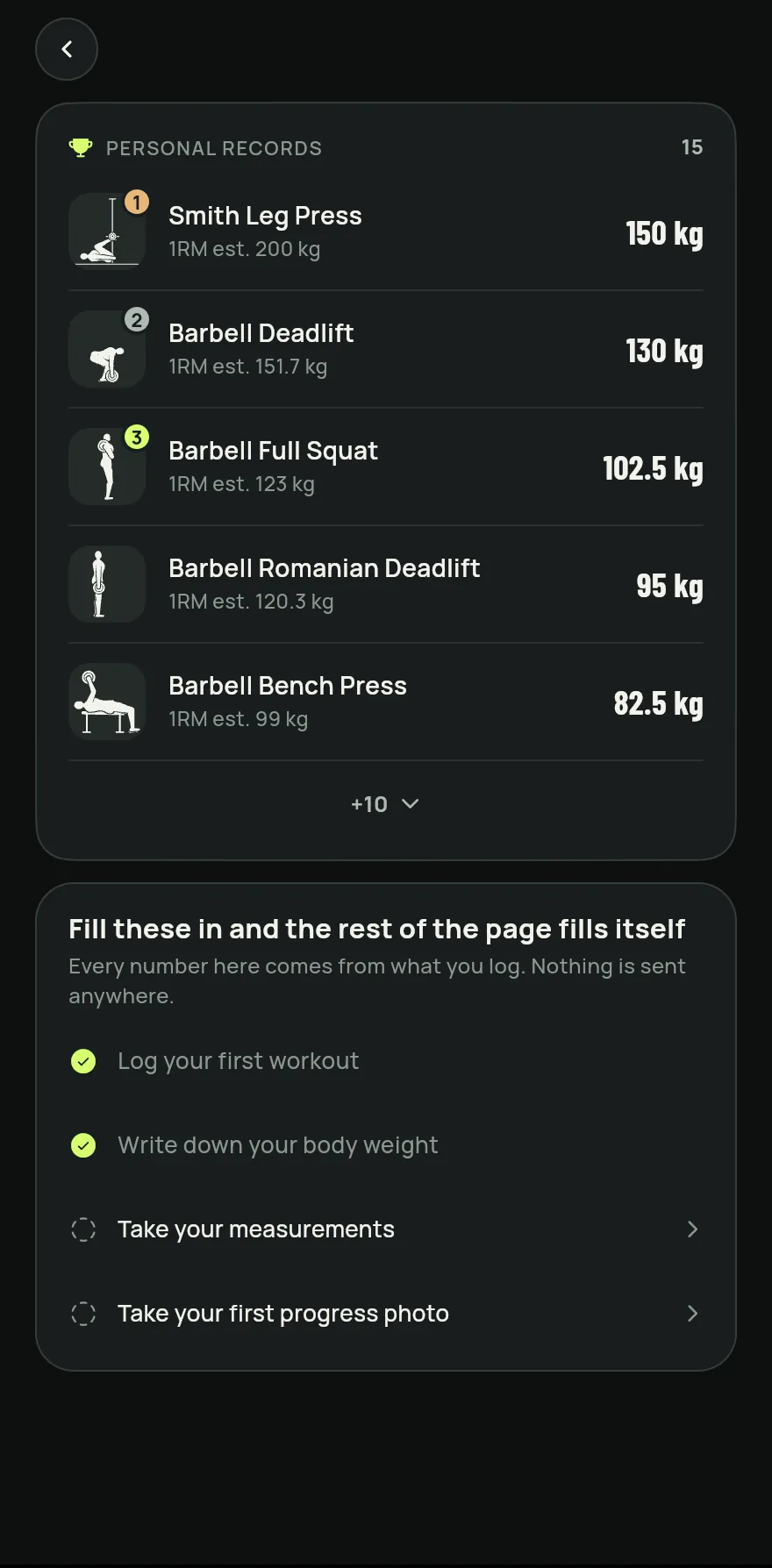
Step 1 On the Progress screen, scroll to Personal records. Loaded exercises come first, sorted by estimated 1RM.
Each record is measured by the type of exercise: 1RM est. for loaded exercises, Most reps in a set for bodyweight ones, Longest time for holds and Longest distance for cardio.
Tap the count of hidden records at the end of the list to see them all. Tap a record to open the exercise page.
During a workout, when a set beats a record, Gym+ shows New record with the kind of mark, such as heaviest load or most reps at this load. At the end of the workout, the summary lists the New records.
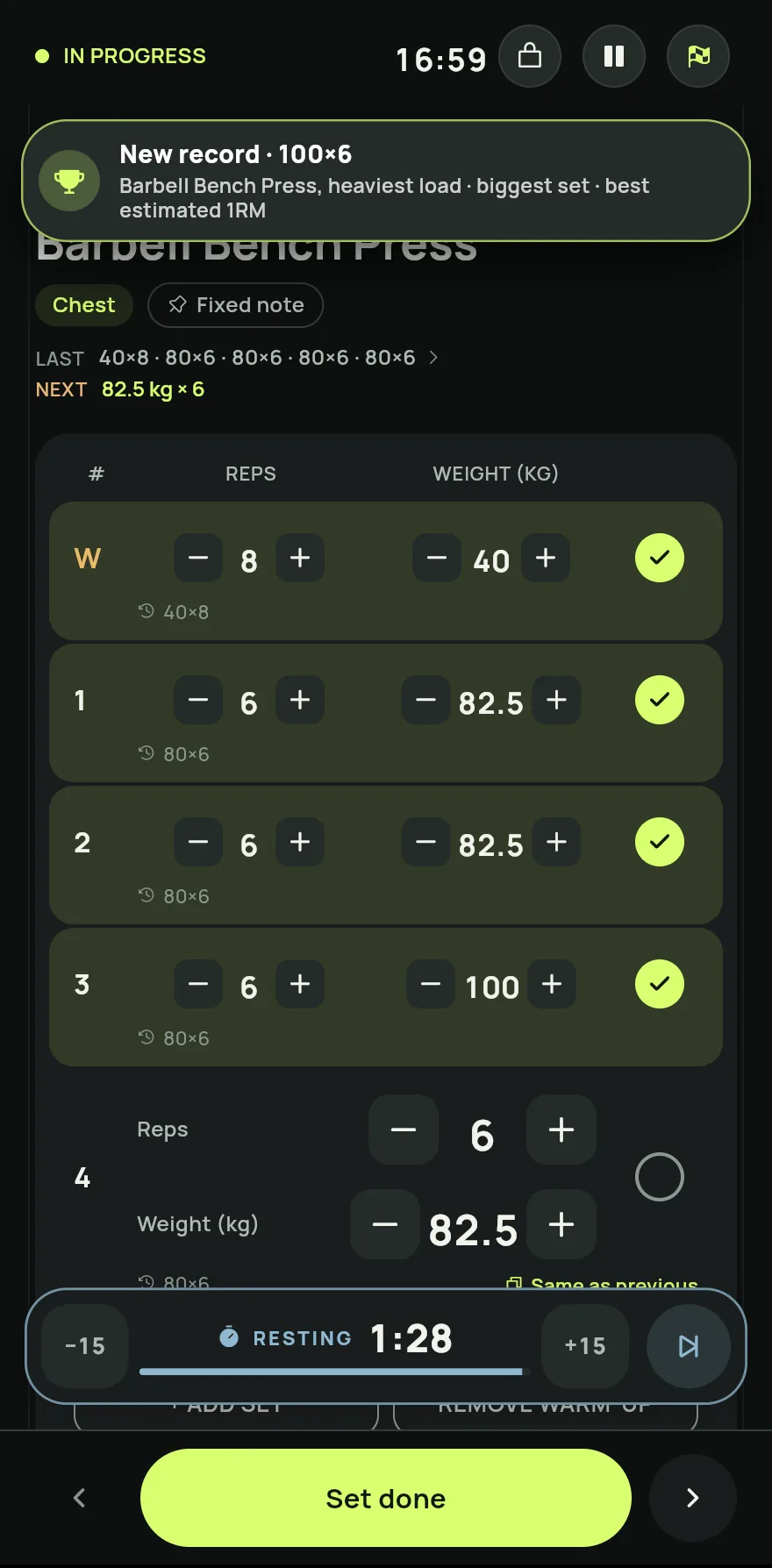
Step 5
Common problems
- A record is wrong
- Fix the set on the day of the workout. Open the day in the Consistency calendar, tap the pencil on the exercise and fix the reps or the weight. See How to see and fix your workout history.
- The list says there are no records
- Records show up as you log sets in finished workouts. On loaded exercises, a set with no load or no reps does not count as a record.
Open in the app
In Gym+, tap the question mark on the Home screen to open the Help Center and search for “Personal records”. The Open now button takes you straight to the screen.
Related articles
- The Progress tab: how to follow your progressSee your total workouts, the rhythm of recent weeks, your volume, your consistency and the muscles you worked over time.
- How to see and fix your workout historySee every workout day by day, with exercises, sets and loads, fix an entry, resume a workout or log a past workout.
Updated on 10/26/2026, app version 1.3.6