
Progress
The Progress tab: how to follow your progress
See your total workouts, the rhythm of recent weeks, your volume, your consistency and the muscles you worked over time.
- Plan
- Athlete
- Coach
- Works on
- iPhone
- Android
The Progress tab shows how you are doing, from what you log. It starts with your total workouts and the rhythm of recent weeks and leads to the charts of volume, consistency and muscles worked.
Before you start
- The numbers and charts come from finished workouts. Log at least one workout for them to start showing. See How to start a workout and log your sets.
Step by step
Tap Progress in the bar at the bottom. The top shows the total of Workouts you have logged.
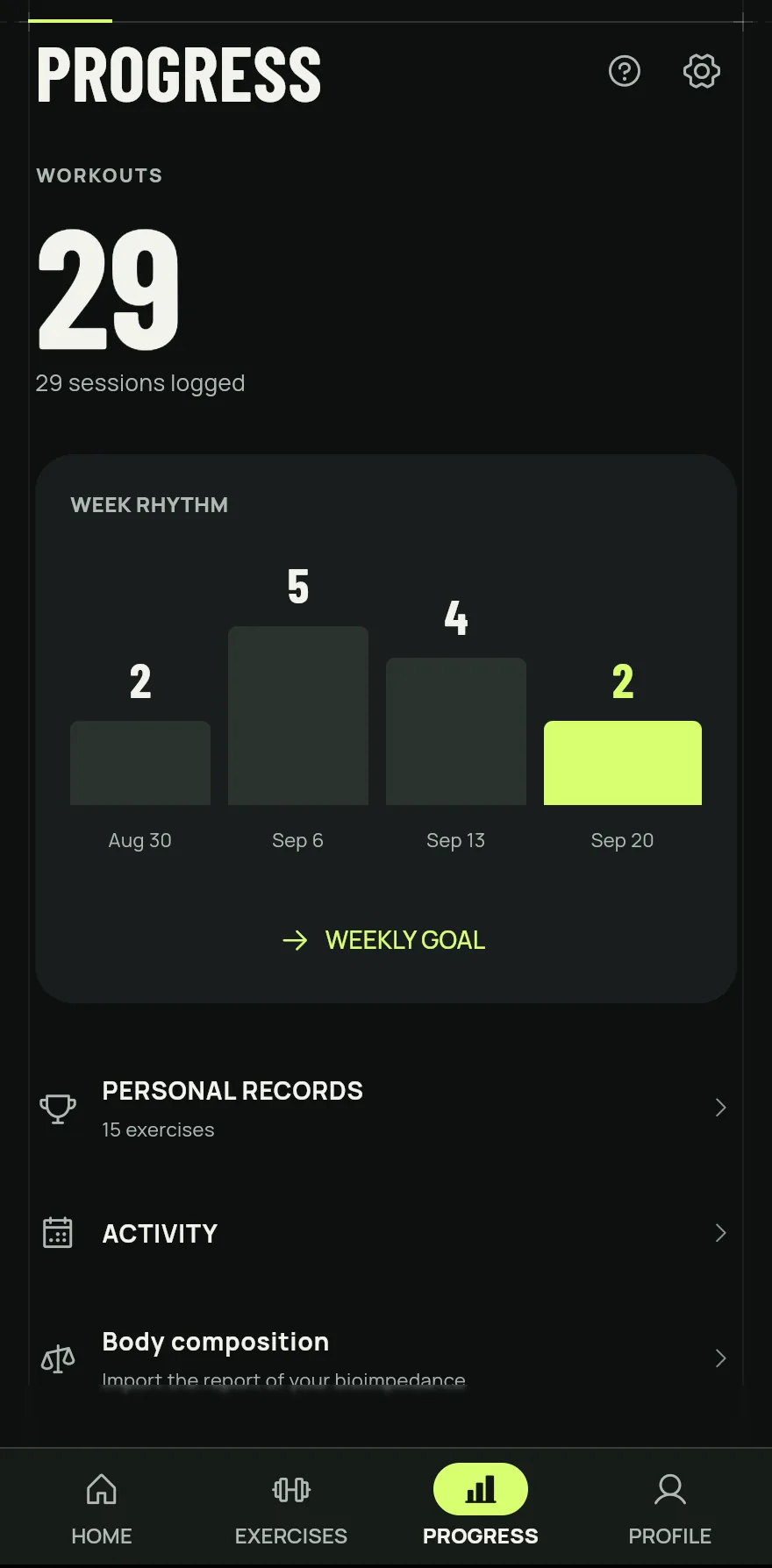
Step 1 Under Week rhythm, see how many workouts you did in each of the last four weeks, with the current week highlighted. Tap Weekly goal to set how many days a week you want to train.
Right below are the shortcuts to Personal records, Activity and Body composition.
Tap Personal records or Activity to open the Progress screen with the charts: the volume of the last 30 days, the Consistency calendar, the totals of sessions, sets and time and the Muscle map.
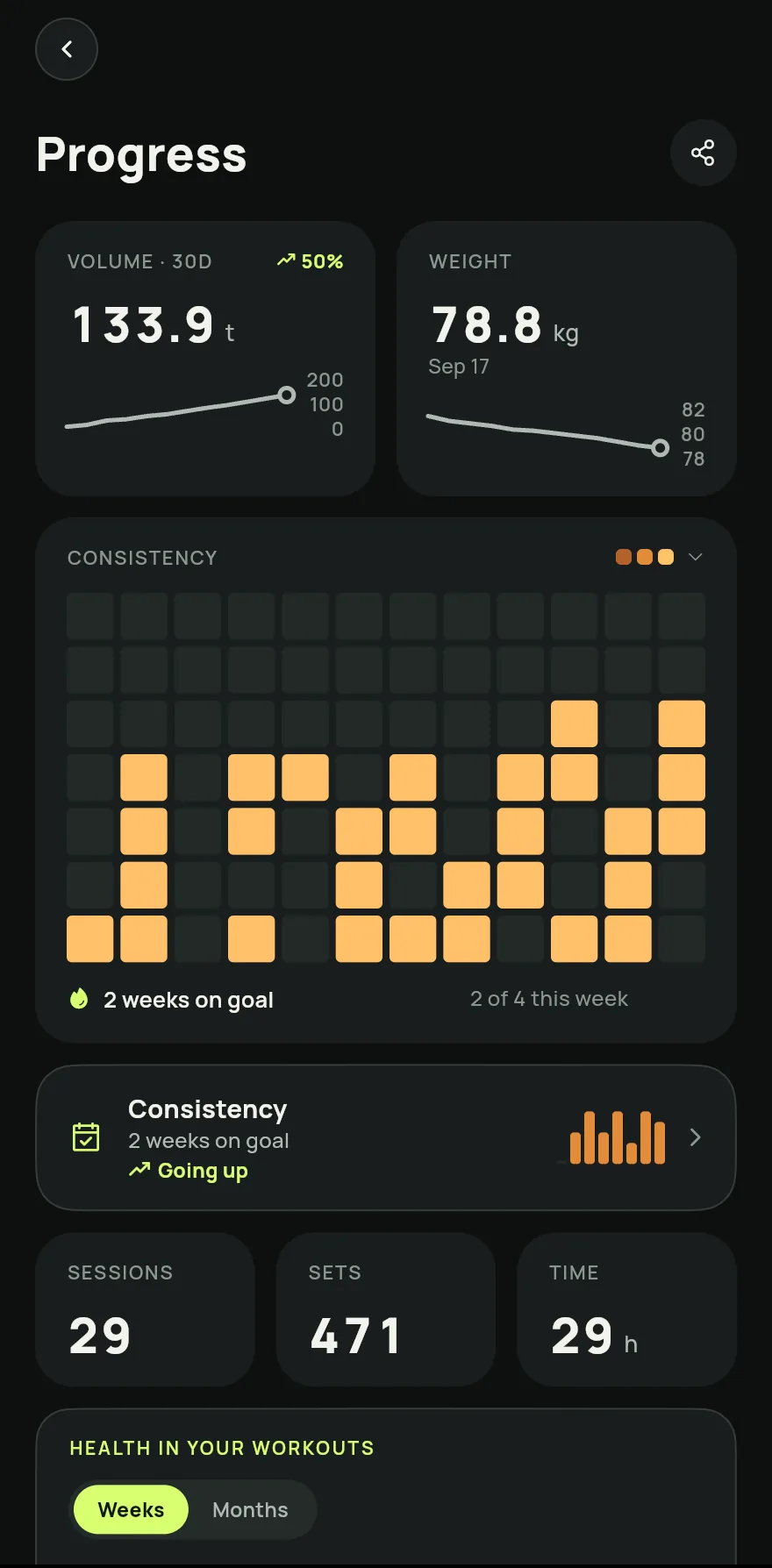
Step 4 On the Muscle map, switch between 7D and 30D and tap a muscle to see what it got. Under Recovery, see how recovered each muscle is.
Scroll down to see the Weekly volume, the Progress by exercise and your Personal records.
Common problems
- The charts are empty
- They only use finished workouts. An exercise's strength curve shows up once you have logged it at least twice.
- The time or length of a workout is wrong
- Open the day in the Consistency calendar, tap Edit time and adjust the Start and the Duration. See How to see and fix your workout history.
Open in the app
In Gym+, tap the question mark on the Home screen to open the Help Center and search for “Overview”. The Open now button takes you straight to the screen.
Related articles
- How personal records workSee your best on each exercise, how each record is measured and how Gym+ tells you when you beat a mark during a workout.
- How to see and fix your workout historySee every workout day by day, with exercises, sets and loads, fix an entry, resume a workout or log a past workout.
Updated on 10/26/2026, app version 1.3.6