
Training
How to add the places where you train
Add a gym, your home or a park with the gear each one has, so Gym+ only suggests exercises you can actually do there.
- Plan
- Athlete
- Coach
- Works on
- iPhone
- Android
A place is the list of the gear you have somewhere: the gym, your home, a park. With a place active, the exercise library, the quick workout and the tailored plan only use what is there.
Step by step
Open the Profile tab, tap Settings and, in the workout part, tap My places.
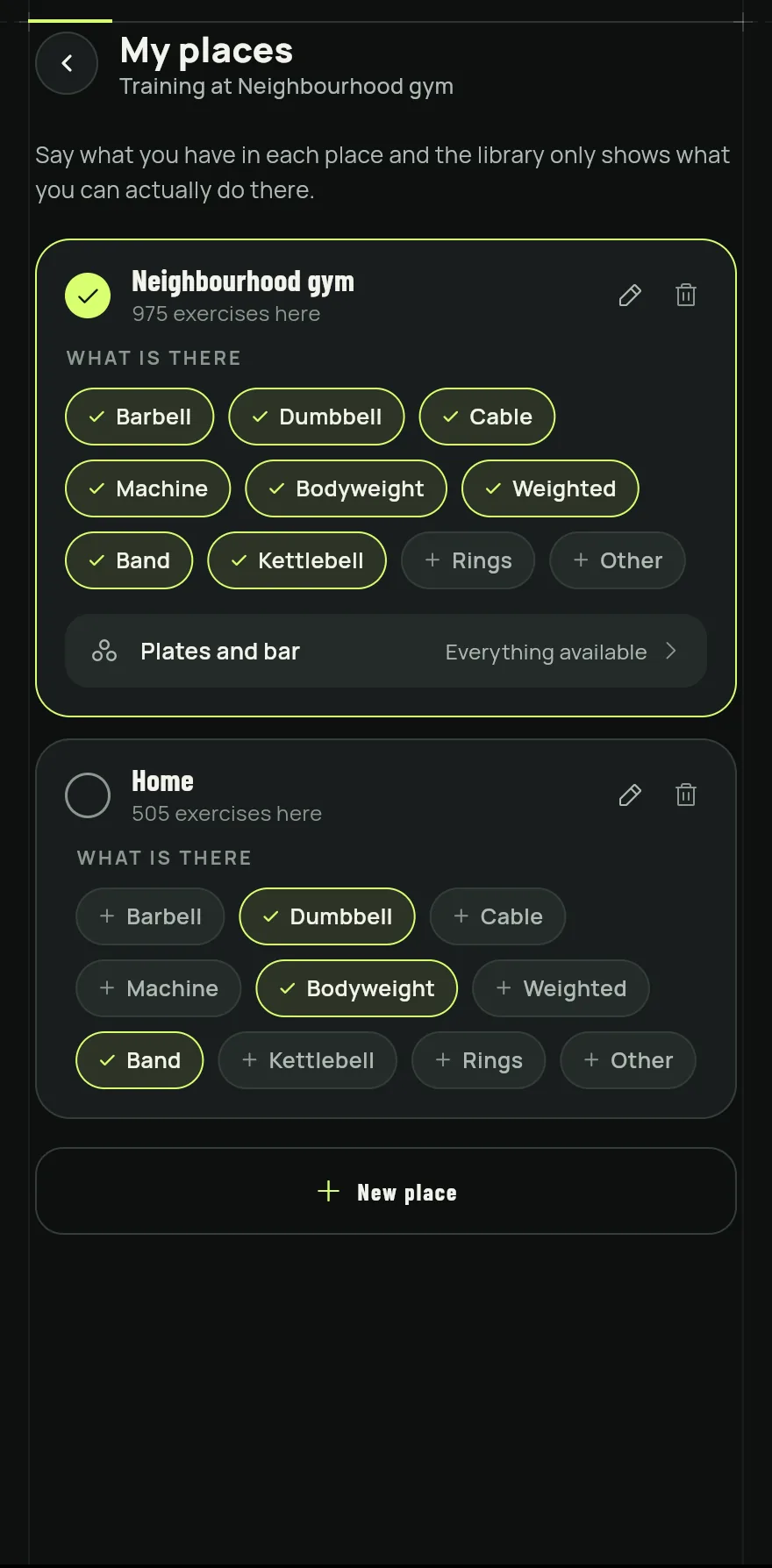
Step 1 With no place yet, tap Gym, Home or Outdoors to start from a ready template. For a place with another name, tap New place, type the name and tap Save.
Under What is there, tap each piece of gear to mark or unmark it. Bodyweight counts in every place.
If the place has a bar, tap Plates and bar to set the bar and the plates you have there.
Tap a place's card to make it the active place. The top of the screen shows where you are training, and each card shows how many exercises you can do there.
To rename a place, tap the pencil. To delete it, tap the trash can.
Common problems
- The library does not show an exercise I know
- It needs gear that is not marked in the active place. Mark the gear or pick Anywhere in the filters. See How to use the exercise library.
- The tailored plan or the quick workout suggests exercises I cannot do
- Check that the active place is the right one and that its gear is marked. See How to do a quick workout with the time you have.
- I deleted a place by mistake
- Deleting a place does not delete your exercises or your workouts. Add the place again.
Open in the app
In Gym+, tap the question mark on the Home screen to open the Help Center and search for “My places”. The Open now button takes you straight to the screen.
Related articles
- How to start a workout and log your setsStart a workout from a routine, from exercises, from muscles or as a quick workout, and log the load and reps of every set.
- How to create and use workout routinesBuild routines with exercises, sets, reps and loads, spread them across the week and start each workout with everything ready.
- How to do a quick workout with the time you havePick the time, the theme and the place, and Gym+ builds a workout on the spot that you can save as a routine at the end.
Updated on 10/26/2026, app version 1.3.6