
Training
How to do a quick workout with the time you have
Pick the time, the theme and the place, and Gym+ builds a workout on the spot that you can save as a routine at the end.
- Plan
- Athlete
- Coach
- Works on
- iPhone
- Android
The quick workout is for the days you do not want to plan anything: you say how much time you have, what you want to train and where you are, and Gym+ builds the workout on the spot, with the sets and reps of each exercise.
Step by step
On the Home screen, tap Start workout and choose Quick workout. On a day with no routine planned, today's card also shows a Quick workout shortcut.
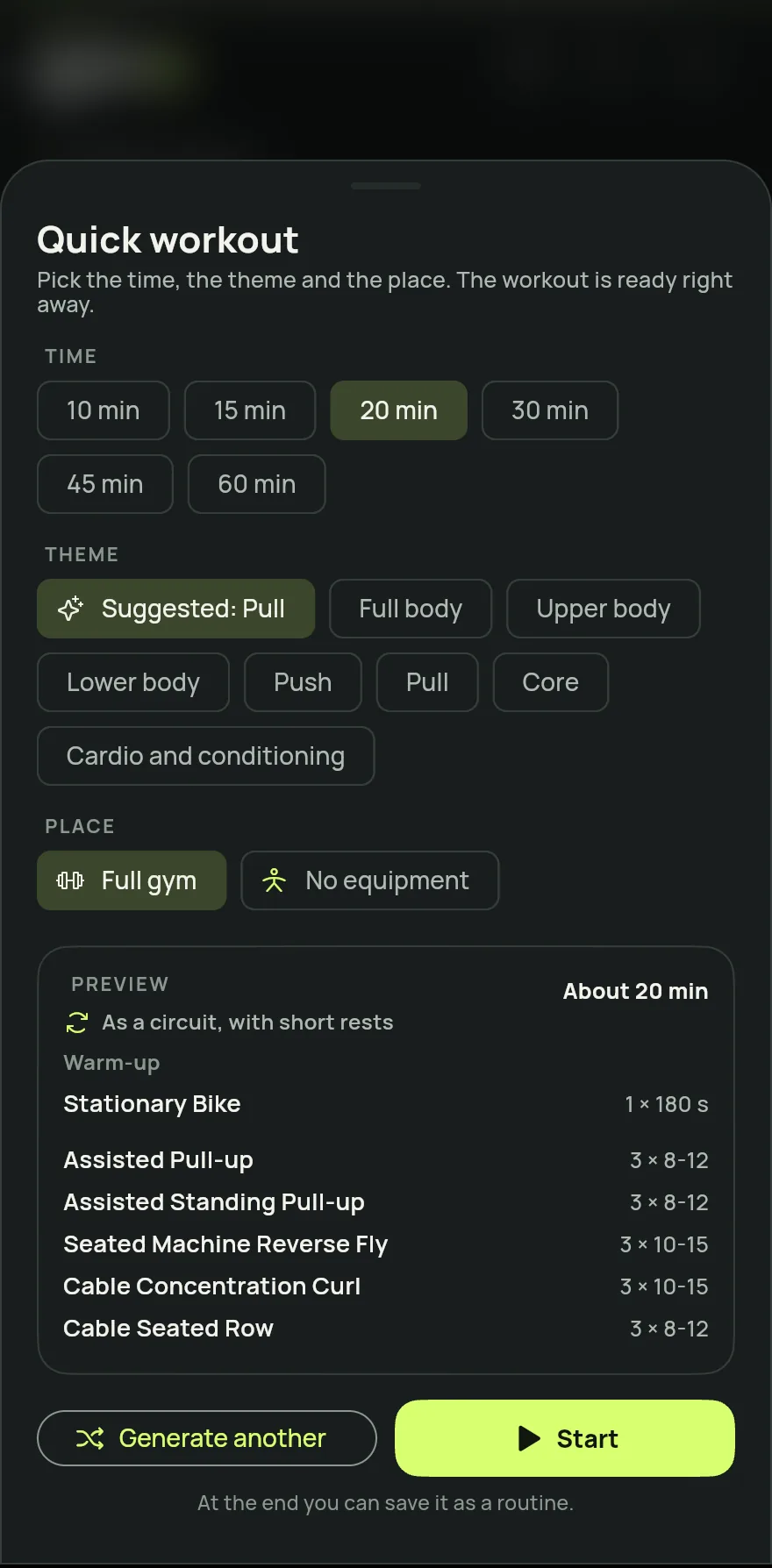
Step 1 Under Time, pick the length, from 10 to 60 minutes.
Under Theme, pick what to train: Suggested, which follows your most rested muscles, Full body, Upper body, Lower body, Push, Pull, Core or Cardio and conditioning.
Under Place, pick one of your places, Full gym or No equipment. The workout only uses the gear of that place.
Check the Preview with the exercises. If you do not like it, tap Generate another for a new mix.
Tap Start. At the end of the workout, tap Save as a routine to repeat the same workout another day.
Common problems
- It says no exercise fits my choices
- The chosen place has no gear for that theme. Try another theme or another place.
- The workout brought exercises for other muscles
- When the place has little for the chosen theme, exercises for nearby muscles fill the time. The preview tells you when this happens.
Open in the app
In Gym+, tap the question mark on the Home screen to open the Help Center and search for “Quick workout”. The Open now button takes you straight to the screen.
Related articles
- How to start a workout and log your setsStart a workout from a routine, from exercises, from muscles or as a quick workout, and log the load and reps of every set.
- How to create and use workout routinesBuild routines with exercises, sets, reps and loads, spread them across the week and start each workout with everything ready.
- How to build and redo your tailored planAnswer your goal, level, days and time per workout, and Gym+ builds the routines of your week with the gear of your place.
Updated on 10/26/2026, app version 1.3.6