
Body and health
How to log your measurements and track how they change
Log weight, waist, arm, thigh and other measurements, see the trend on the chart and set a goal for each one.
- Plan
- Athlete
- Coach
- Works on
- iPhone
- Android
The Measurements screen brings together your weight, your body measurements from neck to calf, and your body fat. Each measurement has its own chart, with your readings, the trend and a goal if you want one.
Step by step
On the Progress tab, tap the Measurements card. If you have not logged any measurement yet, tap Take your measurements on the getting started card of the same tab.
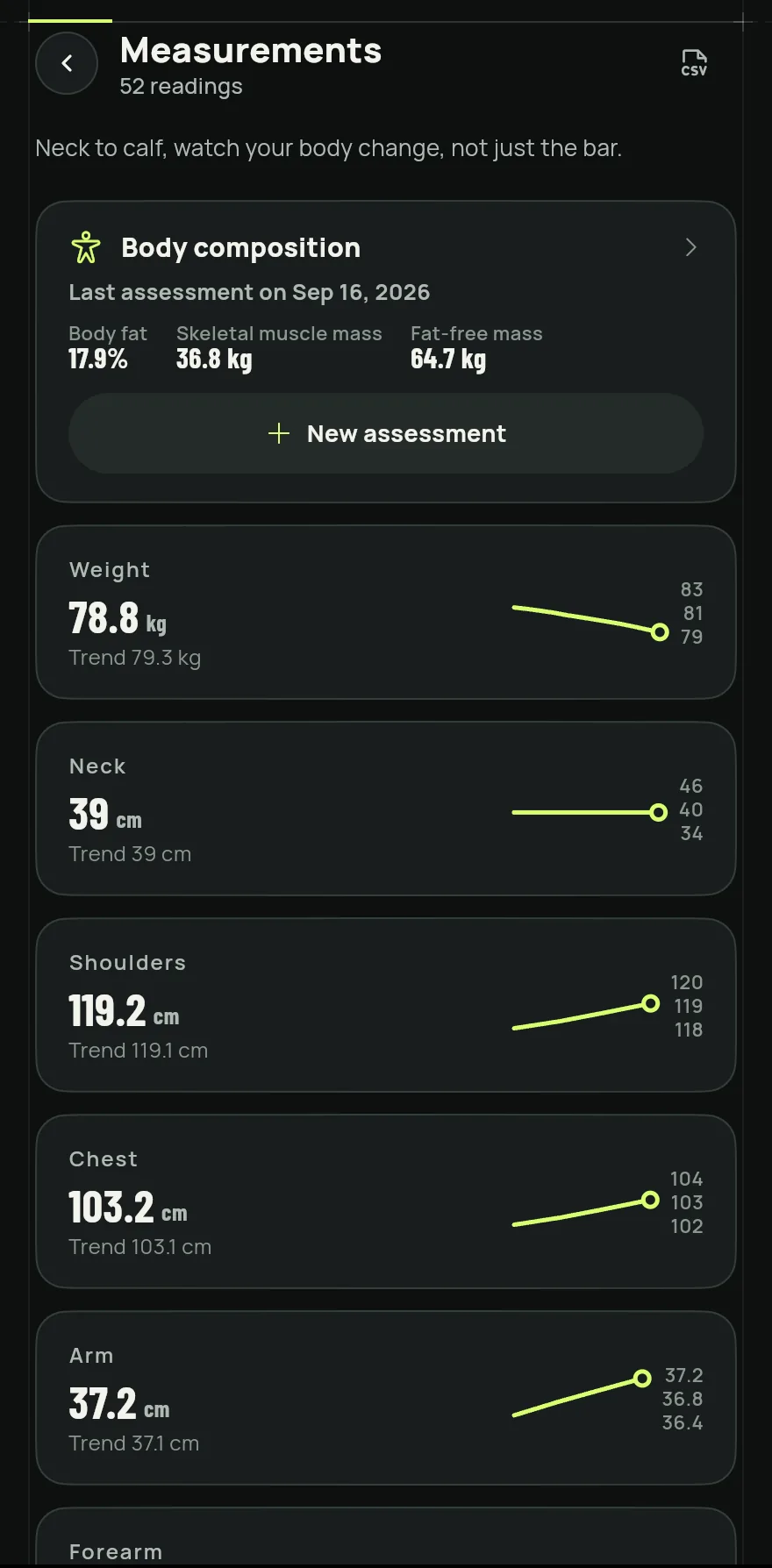
Step 1 Tap the measurement you want to log, such as Waist, Arm or Thigh. The list goes from Weight to Body fat.
Tap the + next to the measurement name, enter the value, check the date and tap Save.
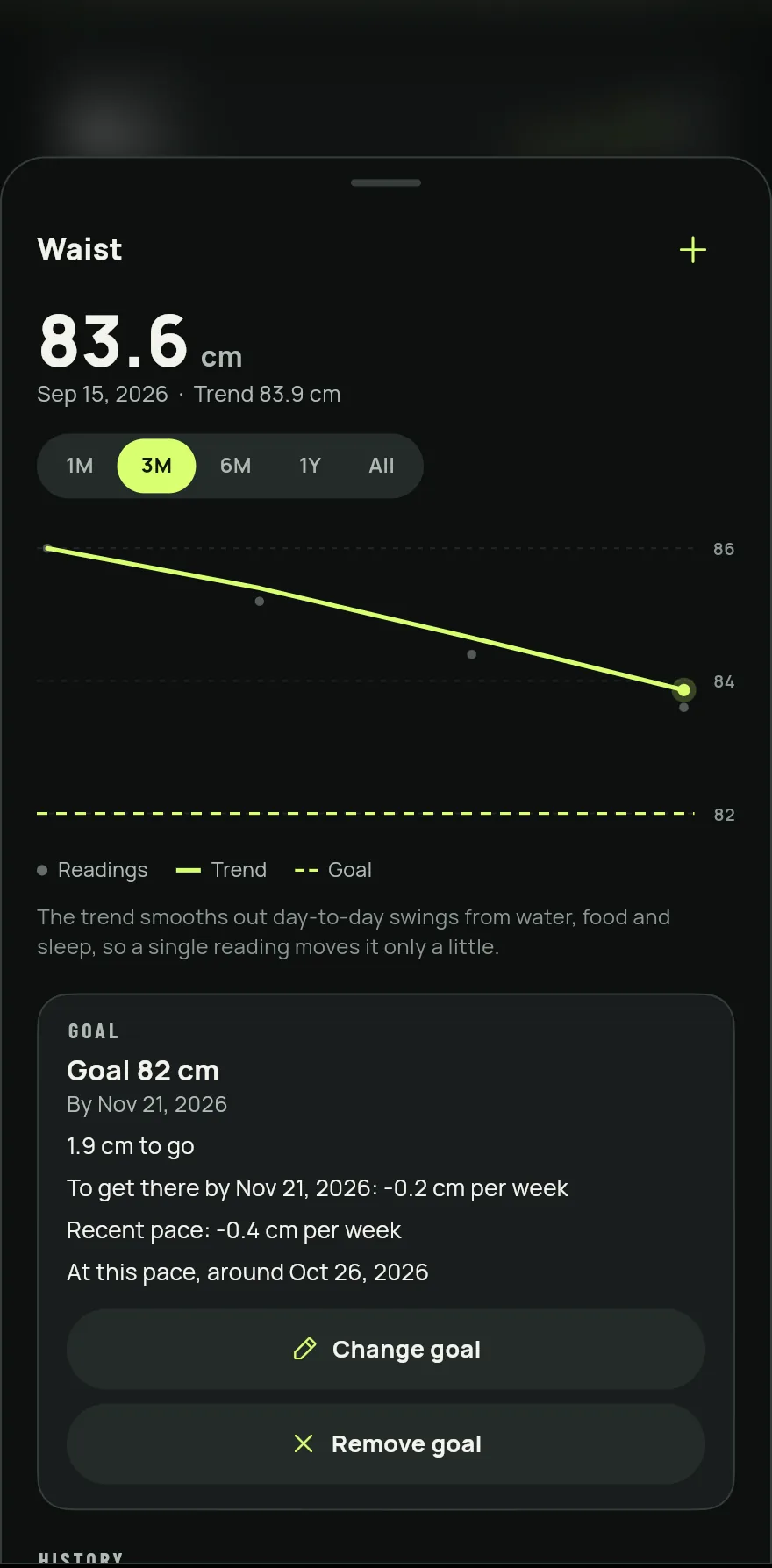
Step 3 On the chart, choose the period: 1M, 3M, 6M, 1Y or All. The dots are your readings and the line is the trend.
Under Goal, tap Set a goal, enter the value you want to reach and, if you like, a deadline. Gym+ shows how much is left and the pace of your readings.
Under History, tap a reading to correct its value or date, or the trash can to delete it.
Common problems
- The Measurements card is missing from the Progress tab
- The card shows after your first measurement. Until then, use Take your measurements or search for measurements from the search at the top of the Home screen.
- My measurements show in inches and I want centimeters
- Measurements follow the length unit in settings. See How to change weight and length units.
- I deleted a reading by mistake
- Tap Undo on the notice that shows right after you delete it.
Open in the app
In Gym+, tap the question mark on the Home screen to open the Help Center and search for “Measurements”. The Open now button takes you straight to the screen.
Related articles
- How to log and track your body compositionBring your bioimpedance report, check every number and follow body fat, muscle mass and goals over time.
- How to keep progress photos and compare before and afterTake front, side and back photos, see the timeline and compare two days side by side to watch your body change.
- How to connect Gym+ to the Health app or Health ConnectLet Gym+ save your workouts and read heart rate, calories and steps, and learn where to change or revoke the access.
Updated on 10/26/2026, app version 1.3.6